Creating Domain and Group Admins
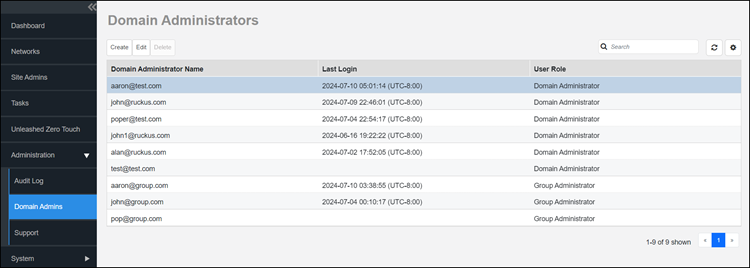
- After you log in to the remote management services web interface, select .
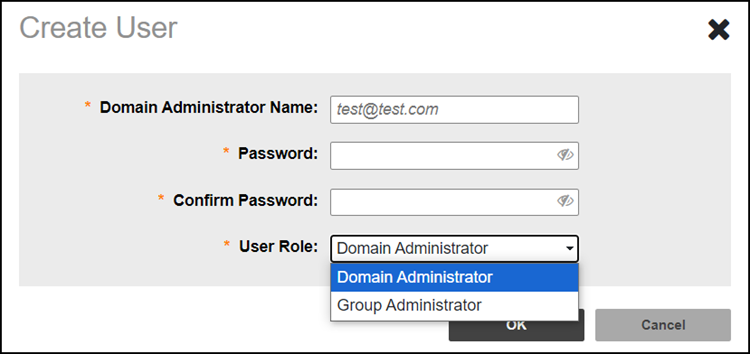
- Click Create. The Create User page appears.
- In the Domain Administrator Name filed, Type the email address of the administrator. There are two user roles: domain administrator and group administrator.
- In the Password field, Type a password for the account. The password is case-sensitive and can contain up to 20 alphanumeric characters, including at least one upper-case letter, one lower-case letter, one number, and one special character.
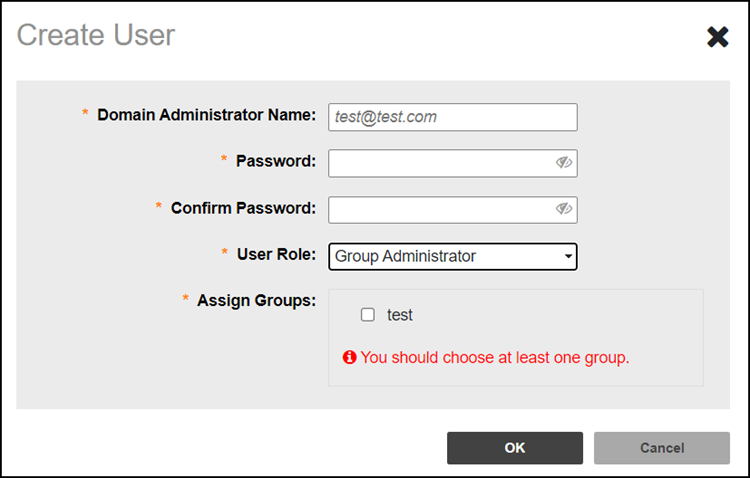
- In the User Role drop-down menu, you can choose either the Domain Administrator or Group Administrator. If you opt for the Group Administrator role, assign at least one group to the Group Admin.
- Click OK to create the user account.