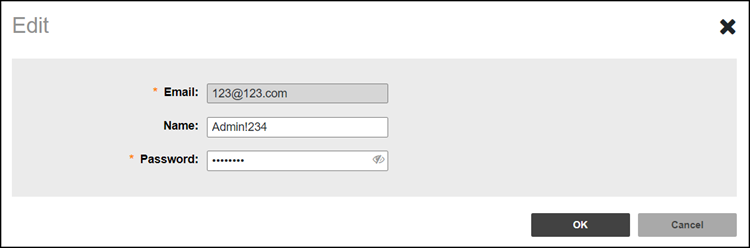
Editing a Site Admin Account

As a Domain Admin, you can edit Site Admin account if you need to make changes, such as the username or password.

  1. Go to Site Admins.
  2. Find the row in the Site Admins table for the desired Site Admin account and then click Edit.

    Editing a User Account

  3. Edit the following options as required:
    • Name
    • Password

    The email address cannot be changed, the Site Admin account must be deleted, and a new account must be created using the desired email address.

  4. Click OK to save your changes.