Resetting the Password

You can reset the Web UI login username and password for devices within the network from the web interface.
  1. After you to log in to the Web interface, select Devices from the menu in the left.
    The Devices page appears listing all the devices managed by the software.
  2. From the list of devices, select the device you want to block and then click More > Reset Password.
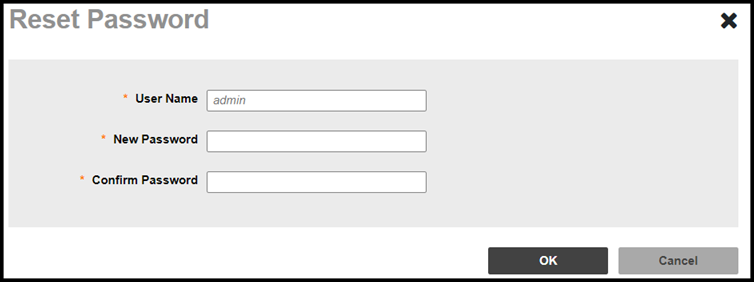
    The Reset Password page is displayed.

    Resetting the Password

    Configure the following:
    • User Name: type a user name
    • New Password: type the new password that you want to set to
    • Confirm Password: type the new password again to confirm