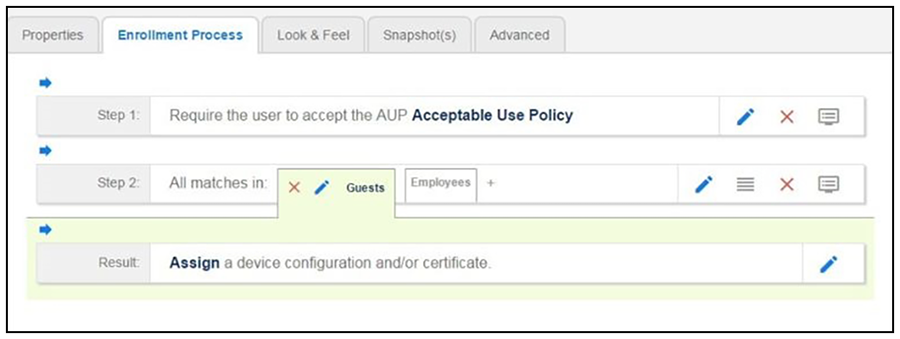
User Type Split
- Insert a step above the Result: step in the enrollment workflow.
- Select Split users into different processes.
- Select Use an existing split and choose User Type (a pre-existing split). The User Type split creates a prompt to select either the Employee User Type or the Visitor User Type. These labels can be modified.