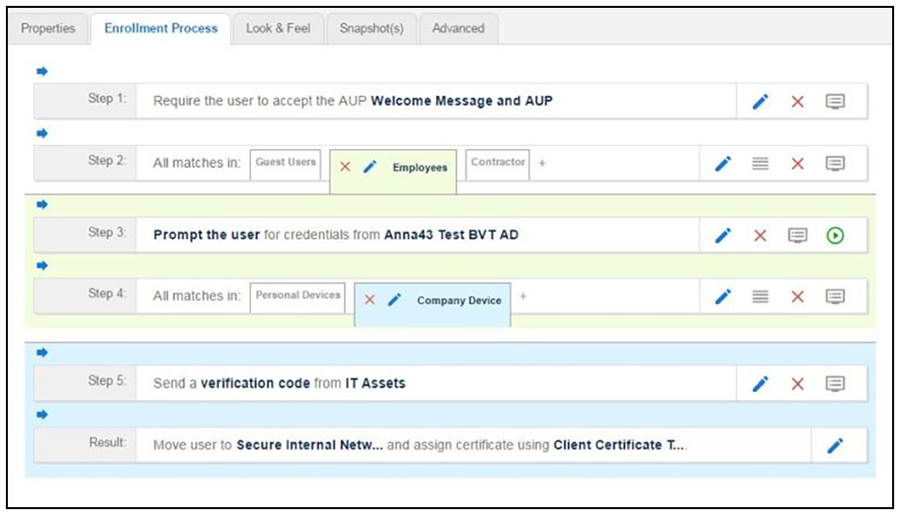
Step 4 adds an enrollment step prompts the user to select a personal device or a company-owned
(IT- asset) device.
Insert a step above the Result: step in the enrollment workflow.
Select
Split users into different processes.
Select
Use an existing split and choose
Device Ownership. The
Device Ownership option prompts the user to select either
Your Device or
Company Device. These labels can be modified.
Note: Use the
Edit List icon
to customize the split option labels.
The Workflow page displays your enrollment workflow with the Device Ownership option
after the user authentication step.
 to customize the split option labels.