Configure Virtual Processors
- With the VM selected, navigate to the Action menu, and select Settings. Alternately, you can right- click the selected VM.
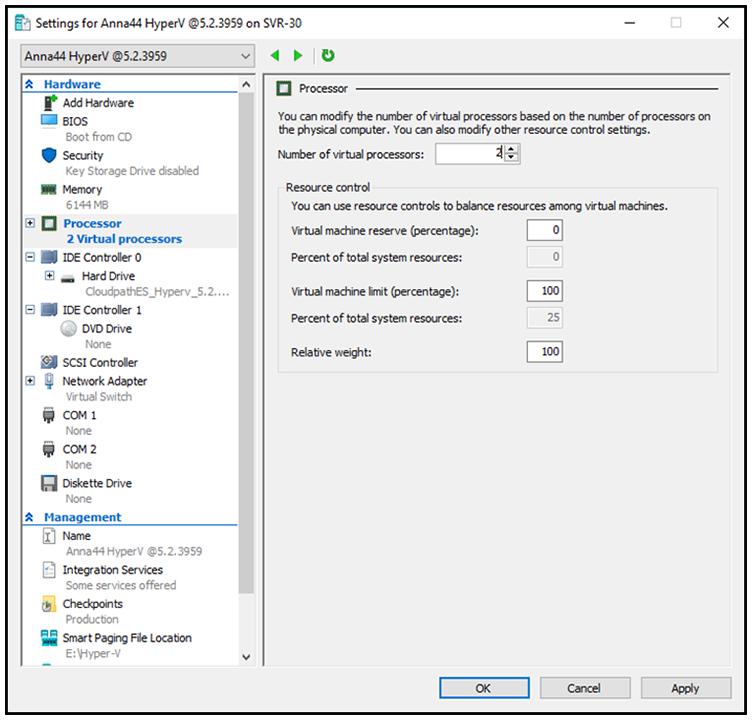
- Select Processor.
- In the left pane, select Processor.
- In the right pane, increase the value for Number of virtual processors.
- Click Apply, then OK.
Power on the virtual machine to continue with the configuration.