Application Properties (vCenter)
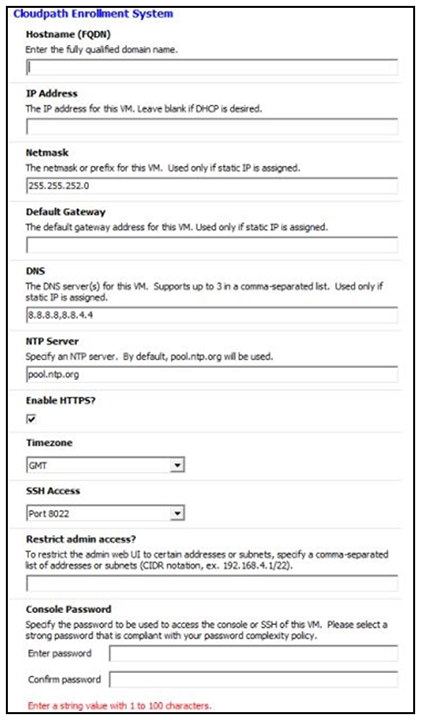
- Enter the Hostname(FQDN) for the virtual appliance.
- Enter the IP Address, Netmask, Default Gateway, and the DNS Servers for this VM. Leave blank for DHCP.
- Specify an NTP Server or leave the default.
- HTTPS is enabled by default. Leave unchecked only if Cloudpath is behind another web server using SSL.
- Select the Timezone.
- Select SSH port, or disable SSH access.
- Enter the IP address(es) that can access the Cloudpath Admin UI. Leave this field blank if you do not want to limit administrative access.
- Enter and confirm a service user password. The service user account is used by your support team for access to this system using SSH. The service account is not available if SSH access in not permitted.