Supportsave
Supportsave collects logs from different ICX modules. The collected logs are shared with technical support personnel for investigating issues experienced on an ICX device. RUCKUS recommends running supportsave before upgrading the firmware on a switch, so that you have the necessary information should an issue arise.
When you start the supportsave process on the
web interface of a remote device, a supportsavecommand is sent to
the ICX device, resulting in supportsave logs being collected and placed into
two
files with .tgz extensions. One of the .tgz files contains the core and log files.
The other .tgz file contains show command output. The files are copied over an HTTPS channel to
the download location.
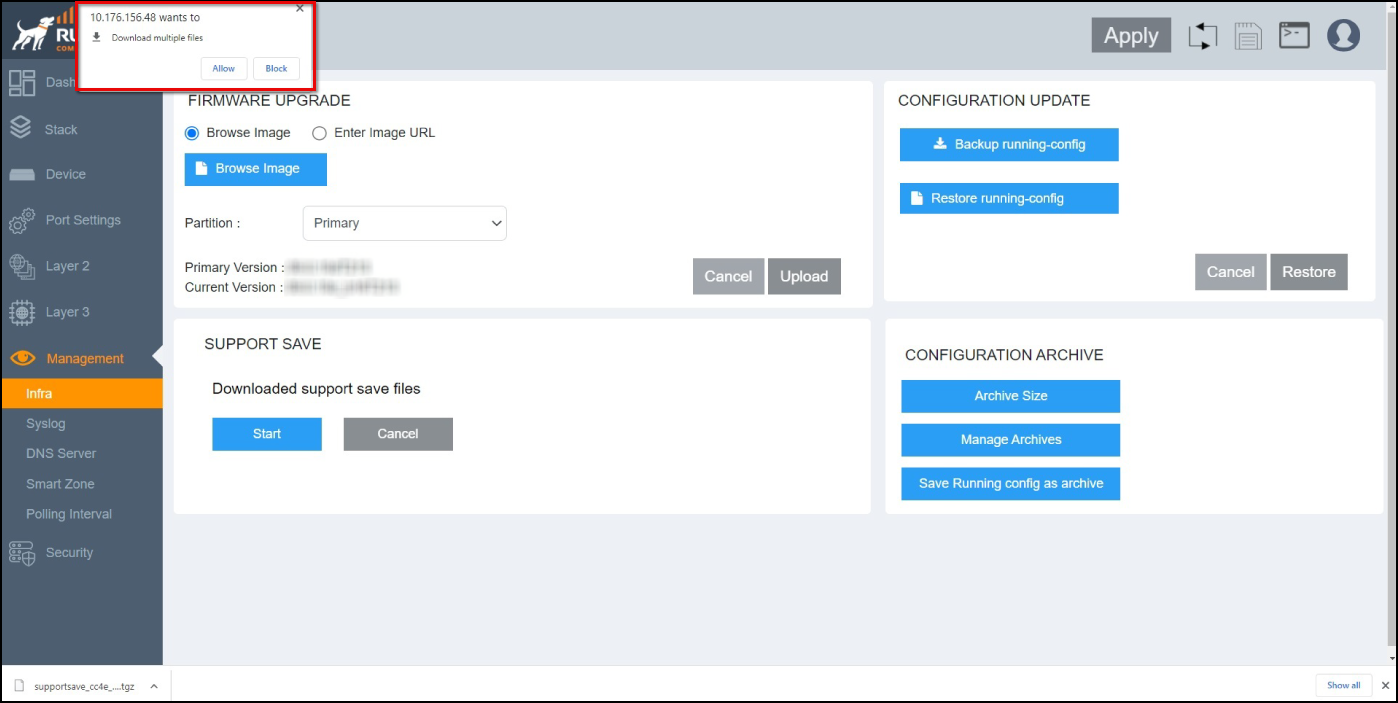
If you are running supportsave from the web interface for the first time, a dialog box displays requesting permission to download multiple files. You must click Allow to confirm the multiple file download.
Complete the following steps to use supportsave to collect logs.
- From the main menu, select .
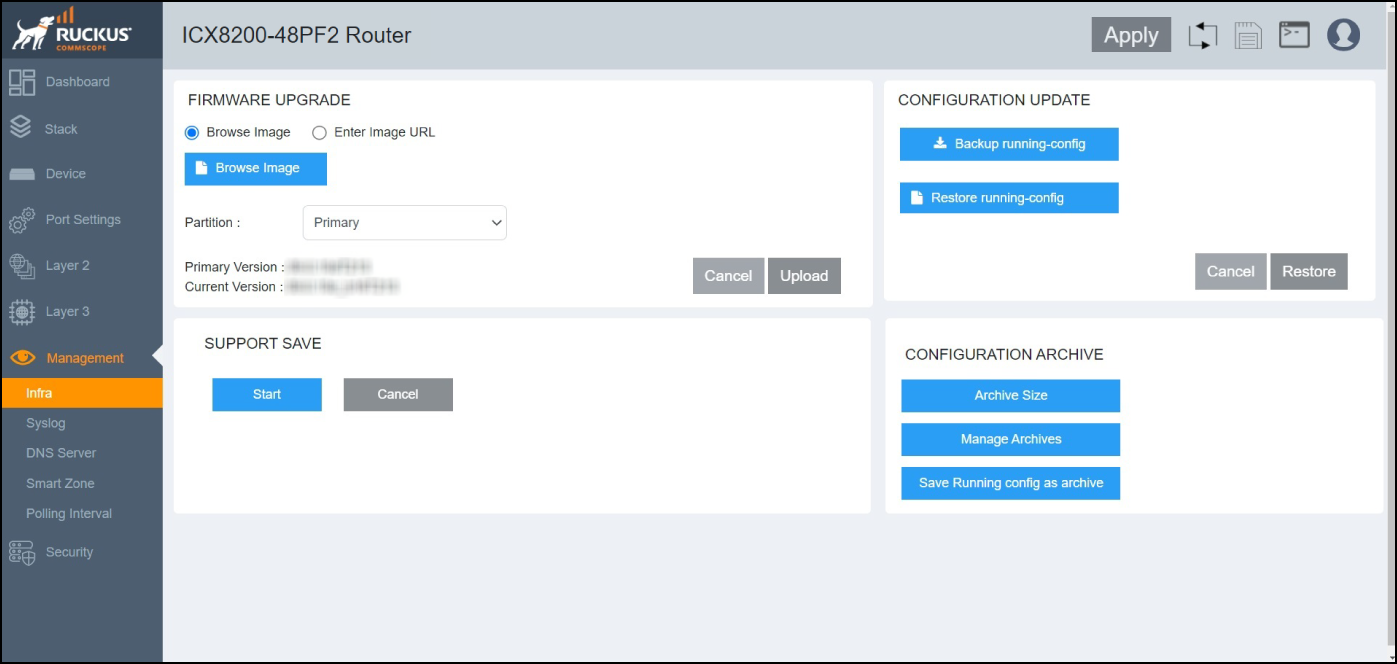
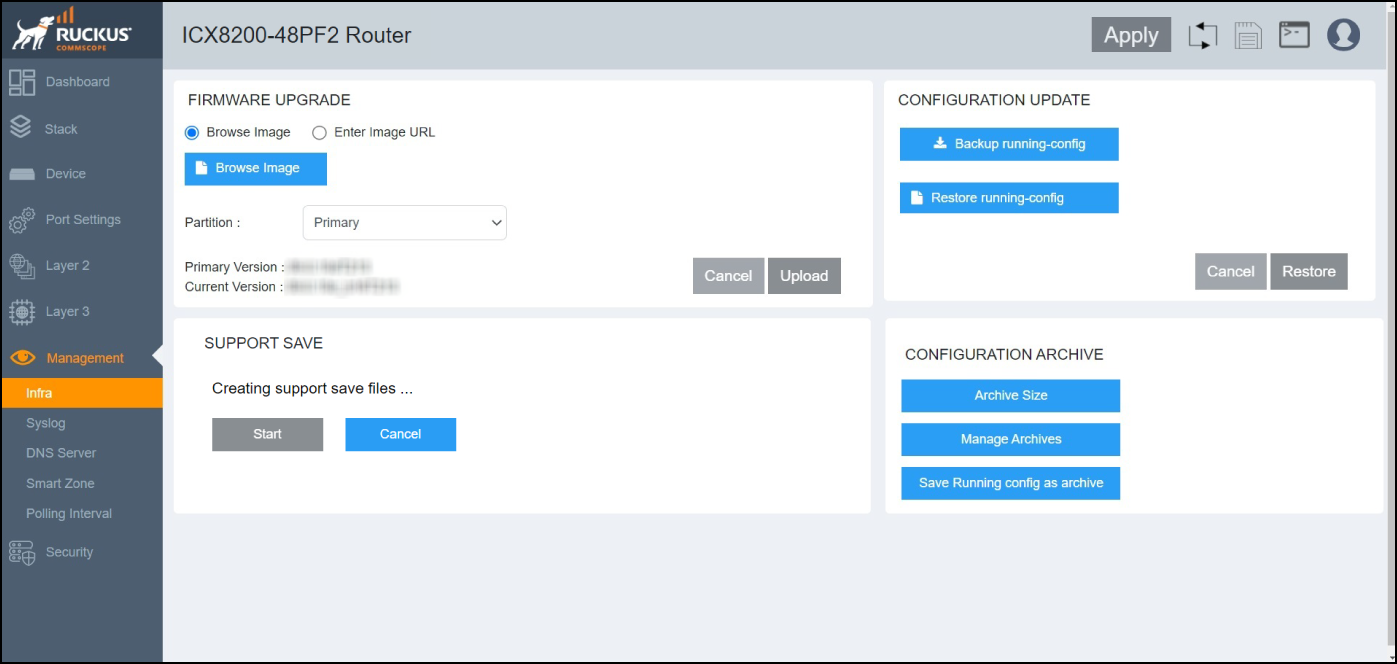
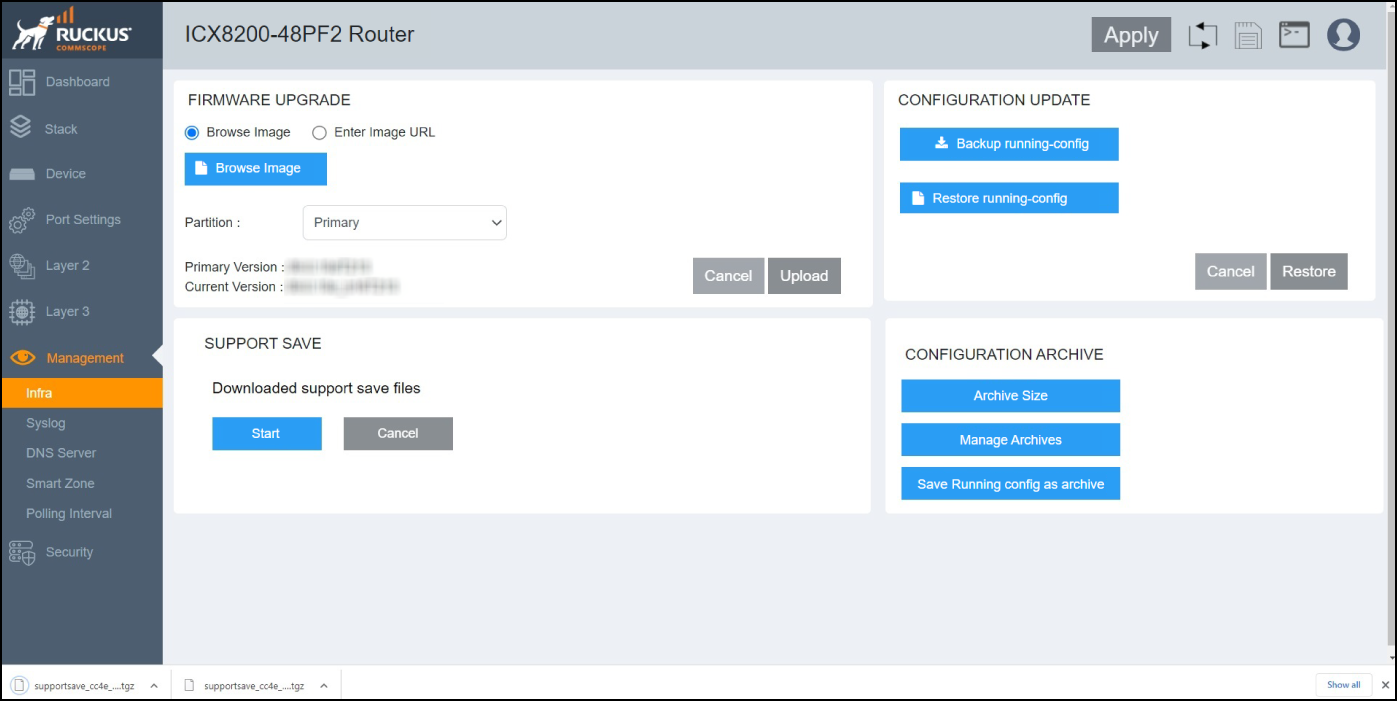
- In the SUPPORT SAVE pane, click Start. If you are running supportsave from the web interface for the first time, you must click Allow in the dialog box requesting permission to download multiple files to start the multiple file download.The system begins to collect logs. This operation can take several minutes. Once the operation is complete, the logs are downloaded to a specified location for the remote device and are accessible at the bottom of the GUI screen until you navigate away from the Infra page.