AV Network Profiles
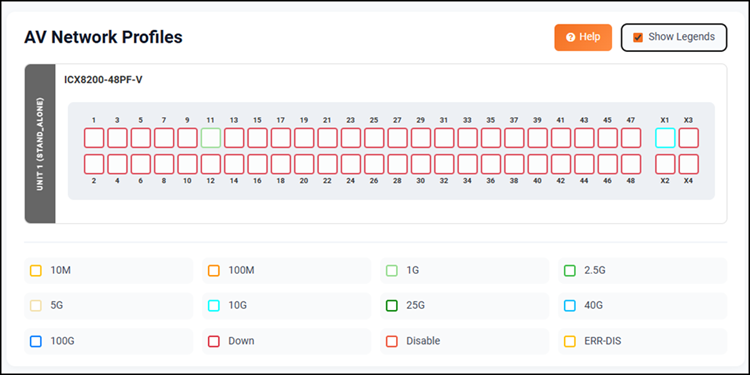
The device information is displayed within the AV Network Profiles section and the Show Legends option allows you to view or hide the definitions of the different colored ports, helping you quickly understand port status and roles. Click the Help icon to start the guided tour of the interface elements available on the specific screen you are working with.
Configured Profiles
You can edit or delete existing profiles as needed. Profile colors are displayed on the ports within the device ports panel.
Refer to Editing an AV Profile from the AV Network Profiles Screen for more information.
Profile Templates
The Profile templates section includes a list of pre-configured templates for different AV use cases. Each template contains QoS rules and network settings optimized for audio or video traffic. The default templates cannot be edited. But the default templates can be cloned to create a copy, which can then be modified. The custom templates can be created, edited, and deleted as required.