Configuring Symmetric Flow Control for all Ports

RUCKUS devices support symmetrical flow control (SFC), which means that the ports can both receive and transmit IEEE 802.3x PAUSE frames.

Complete the following steps to configure SFC globally for all ports:
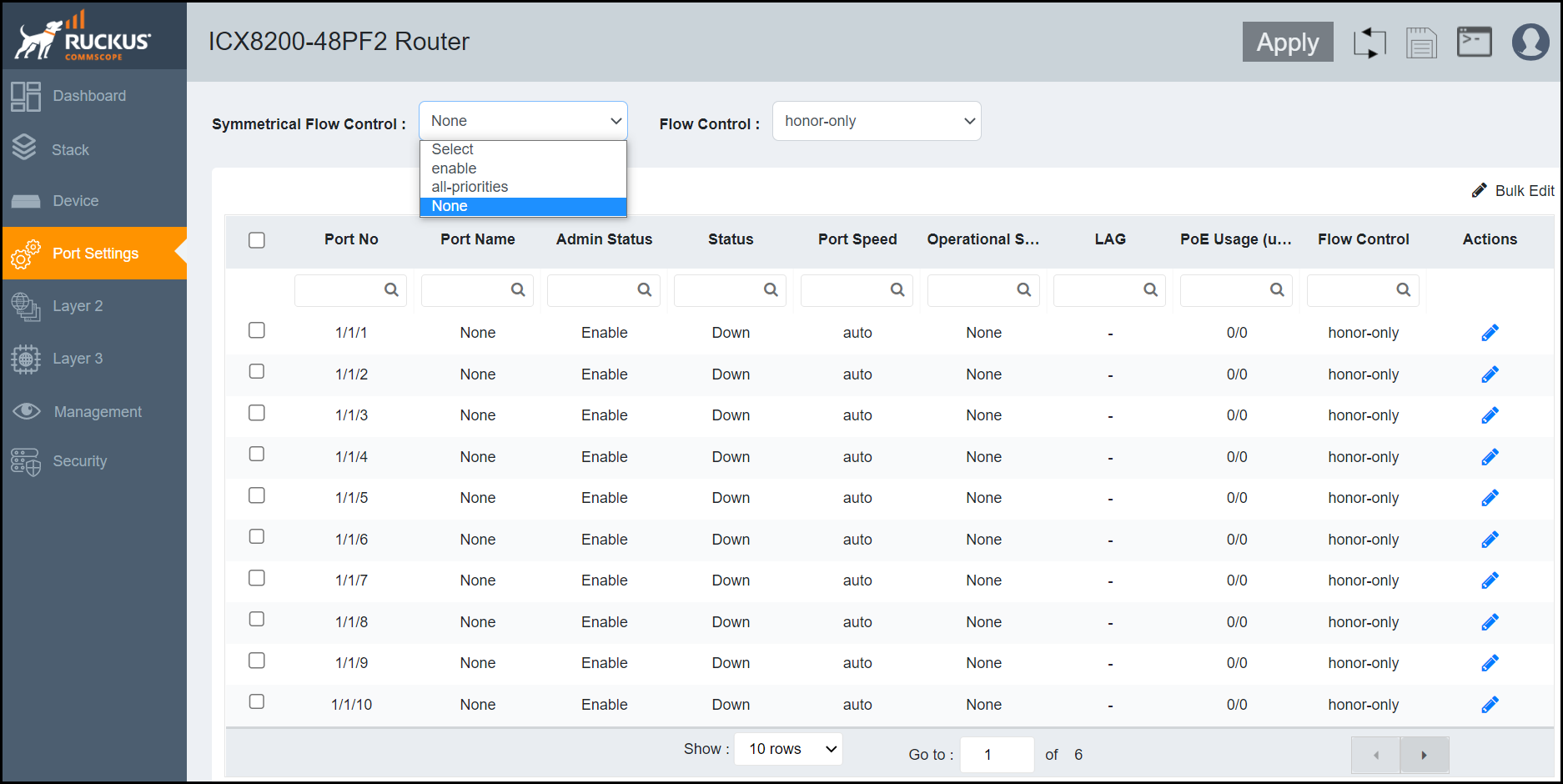
  1. From the main menu, select Port Settings.
    The configured ports are listed in the main pane.
  2. For Symmetrical Flow Control, select one of the following options from the drop-down:
    • enable: Enables SFC globally for priorities from 0 through 4 by default and optionally for all priorities from 0 through 7.
    • all-priorities: Specifies SFC on all priorities. If you do not specify this option, SFC is enabled only on priorities from 0 through 4.
    • None: Disables all SFC configurations.

    Symmetric Flow Control Configuration

  3. Click Apply in the Ports pop-up window to confirm and apply the change.