Mounting an external power supply in a rack (two-post)
Danger: Make sure the rack housing the device is adequately secured to prevent it from becoming
unstable or falling over.
Complete the following steps to install an external power supply in a rack.
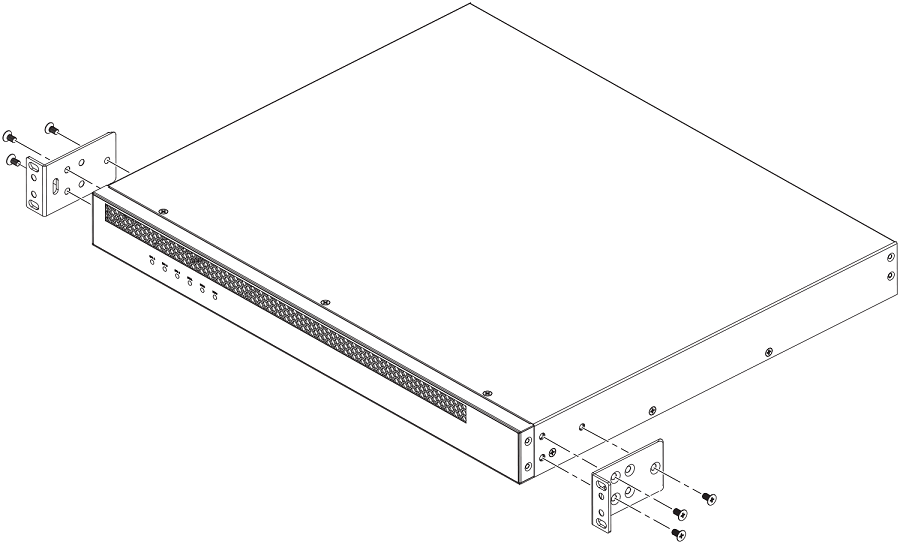
- Remove the rack mounting kit from the shipping carton. The kit contains two L-shaped mounting brackets, eight sink-head mounting screws, four rack-mounting screws, and four cage nuts.
- Using a Phillips screwdriver, attach the mounting brackets to the sides of the external power supply using 3 sink-head screws on each side.
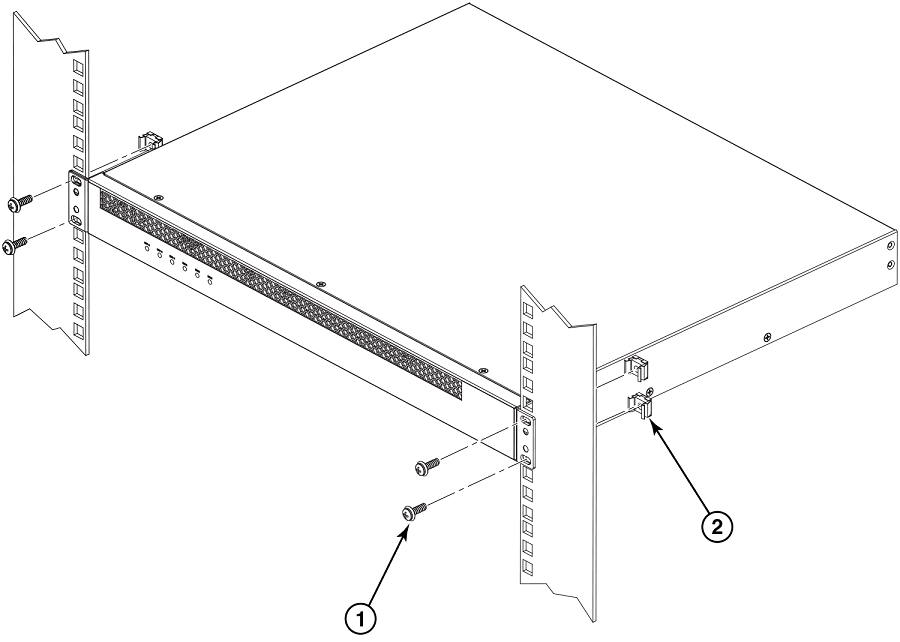
- Mount the external power supply in a rack using four rack-mounting screws.
- Use the four cage nuts to screw the device to the rack mount holes.
- If installing multiple external power supplies, mount them in the rack one above the other.