Generating License Usage Report
The license usage report provides the
accounting data for consumption-based Managed Service Provider (MSP)
entitlements.
- On the navigation bar, click
Subscriptions.The Subscriptions page is displayed.
- On the upper-right corner, click
Generate Usage
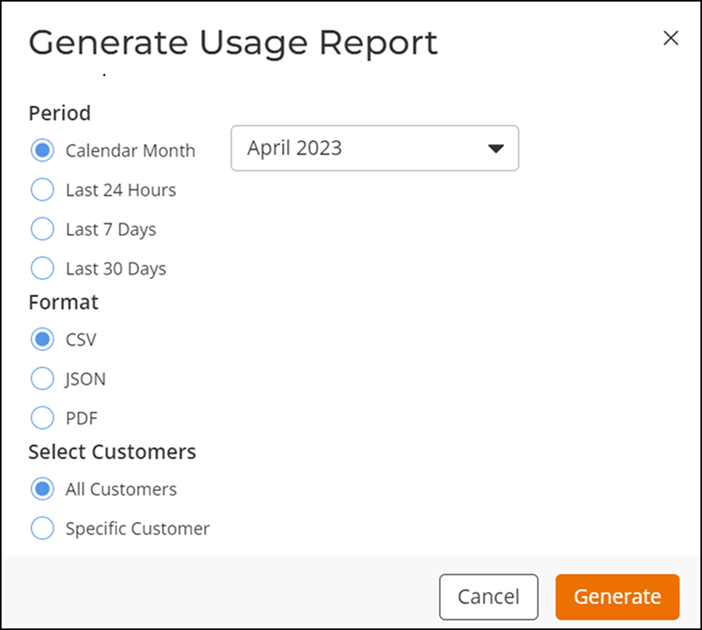
Report. The Generate Usage Report sidebar is displayed.
- For generating a usage report,
select an option for Period, the preferred report
Format, and an option for Select
Customers, and then click Generate.
- Period: Available options are, Calendar Month (you can select a month from the drop down.). Last 24 Hours, Last 7 Days, and Last 30 Days.
- Format: Supported formats are CSV, JSON, and PDF.
- Select Customers: Available options are All Customers and Specific Customer.