Activating and Editing the Telkonet Plugin
- From the main menu, click Admin.
- In the left navigation pane, click Plugins.
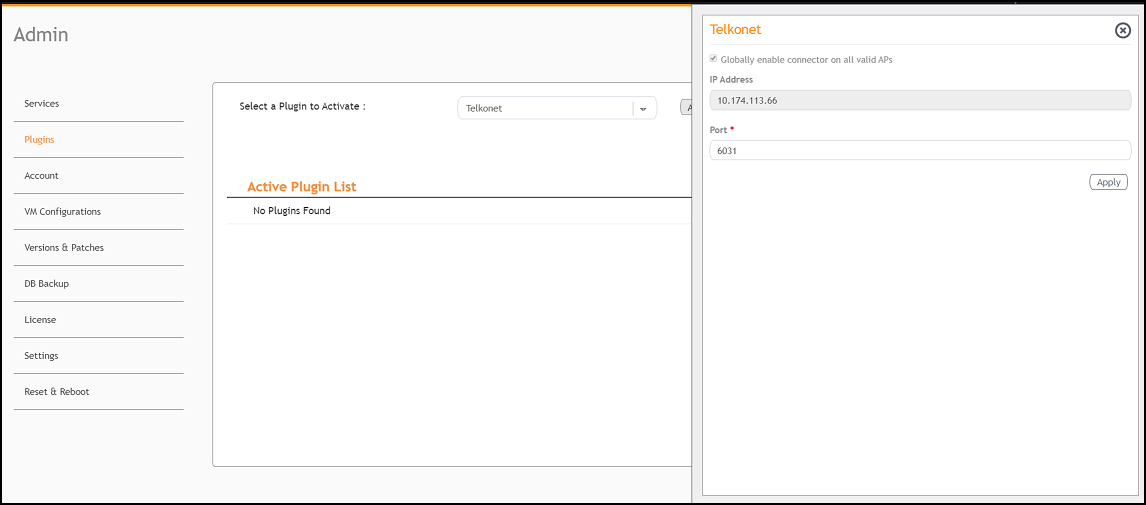
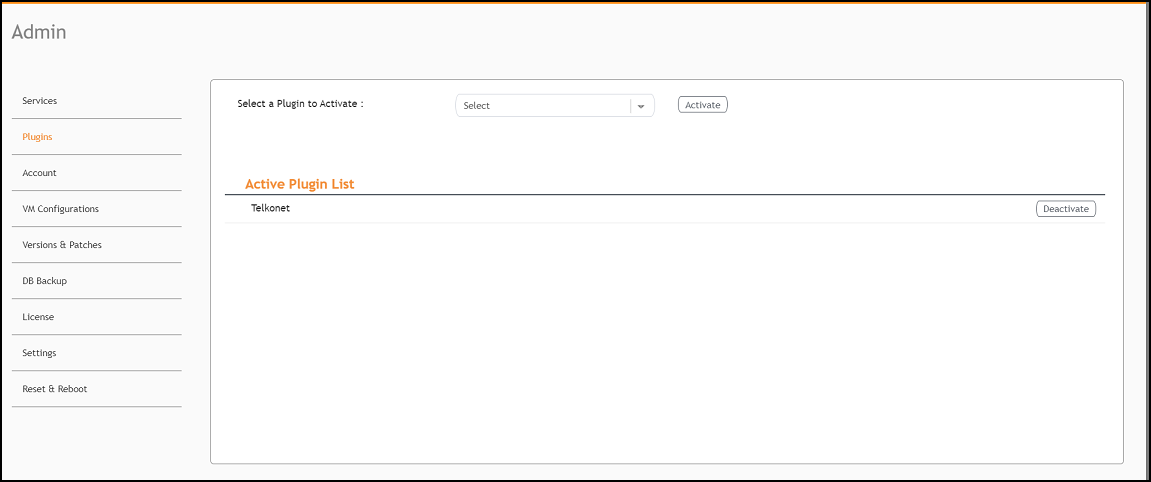
- In the Select a Plugin to Activate list, select the Telkonet plugin and click Activate.
- After the Telkonet plugin is activated, enter the following configuration parameters.
- Click Apply.
- To deactivate the Telkonet plugin, select it and click Deactivate.
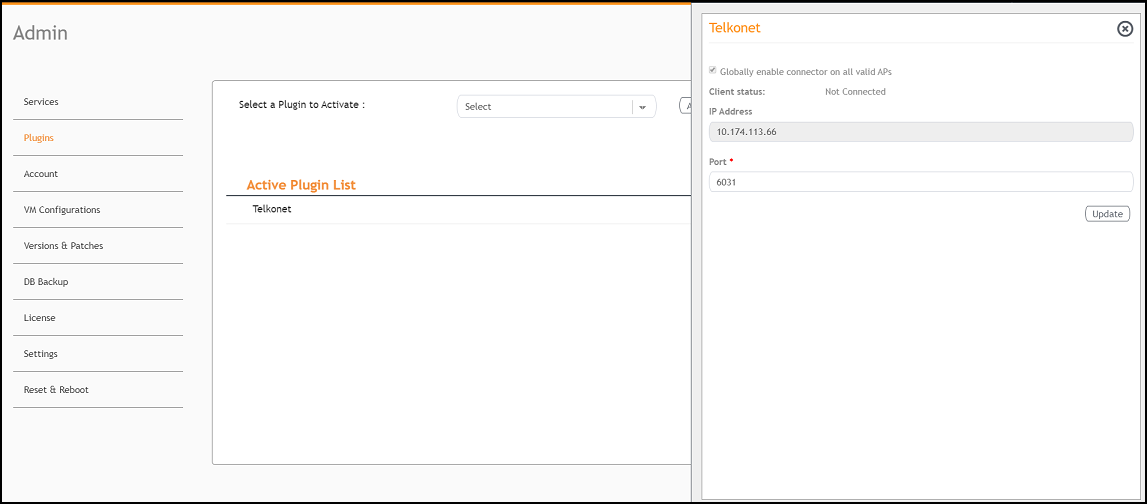
- To edit the configuration of the Telkonet plugin, select it and click Update.