Change the Settings
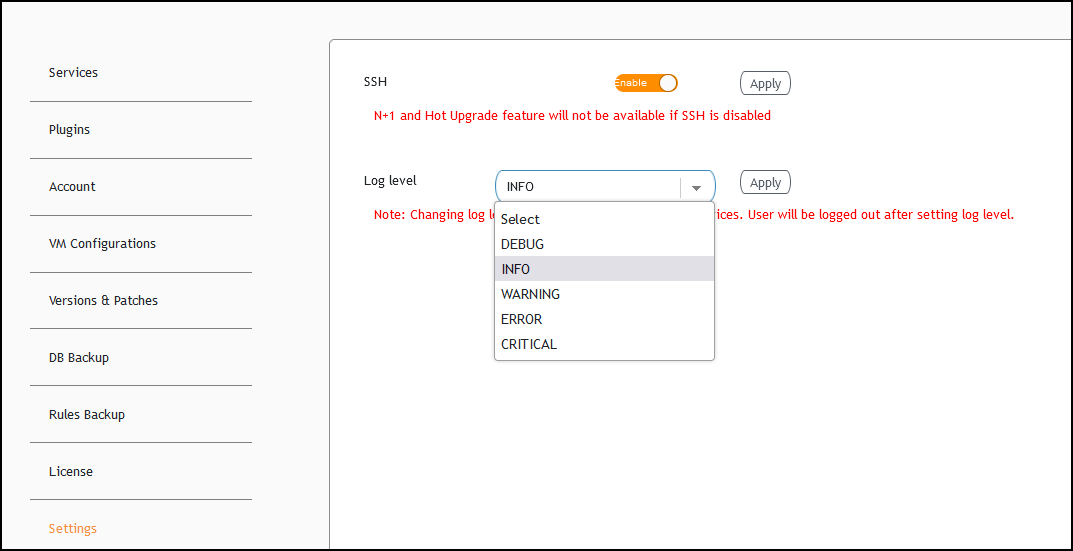
N+1 Configuration and Hot Upgrade can be performed only when SSH is enabled.
- From the main menu, click Admin.
- In the left navigation pane, click Settings.
- Enable
SSH.
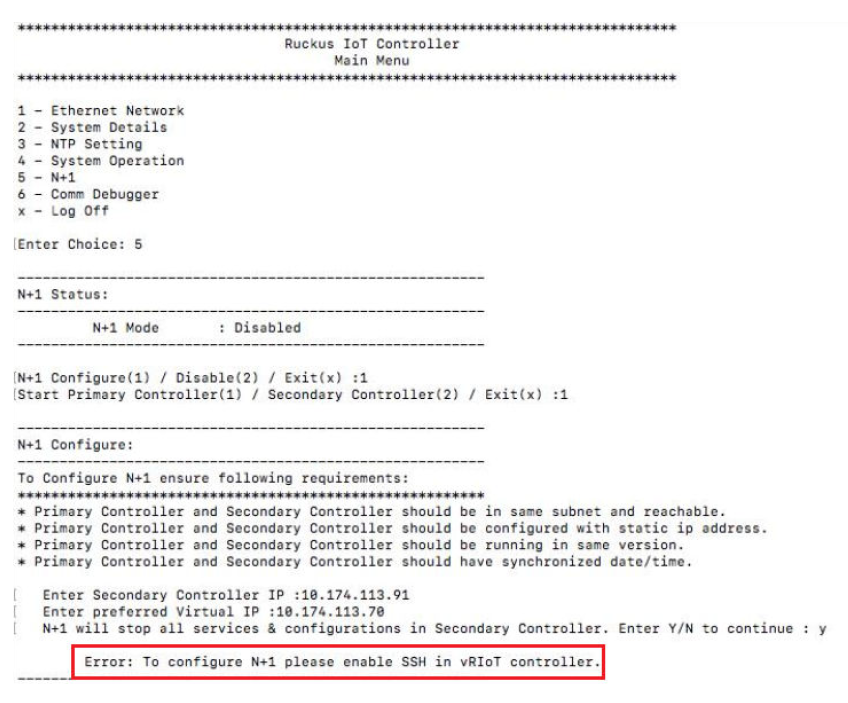
Note: If SSH is disabled, the N+1 configuration cannot be established and the following error is observed.
- The Log Level consists of the below list items. Select
INFO and click Apply.
- DEBUG - To debug a problem in IoT controller, relatively detailed tracing used by application developers for troubleshooting. Logs a message with level DEBUG on this logger.
- INFO - Informational messages that might make sense to end users and system administrators and highlight the progress of the application. Logs a message with level INFO on this logger.
- WARNING - Warning logs indicate that an unexpected event has occurred in an application that may disrupt or delay other processes. Logs a message with level WARNING on this logger.
- ERROR - Error events of considerable importance that will prevent normal program execution but might still allow the application to continue running. Logs a message with level ERROR on this logger.