Activating and Editing the Controller Data Stream Plugin
The
RUCKUS IoT Controller provides support for the Controller Data Stream plugin. The Controller Data Stream
is a Message Queue Telemetry Transport (MQTT) data stream. When it is enabled, it
sends IoT device-related details to the third-party MQTT endpoint (MQTT Broker). The
device data stream is sent to third-party every 300 seconds.
To establish a connection to a vendor infrastructure, the administrator must perform the following steps.
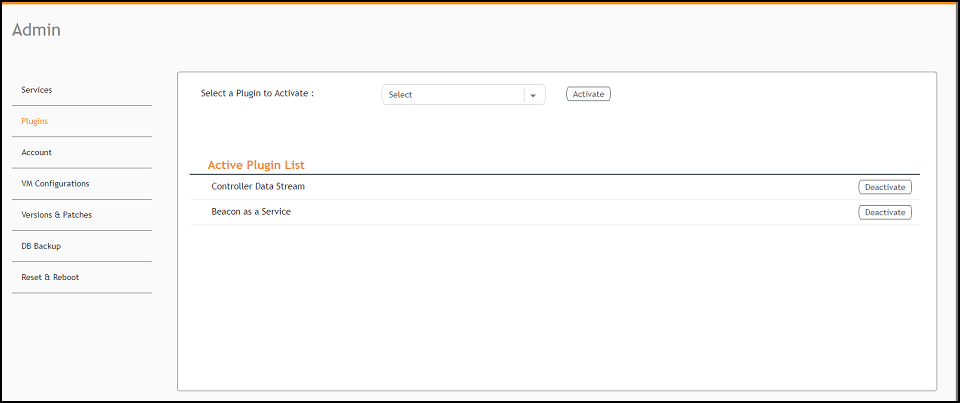
- From the main menu, click Admin.
- In the left navigation pane, click Plugins.
- In the Select a Plugin to Activate list, select the Controller Data Stream plugin and click Activate.
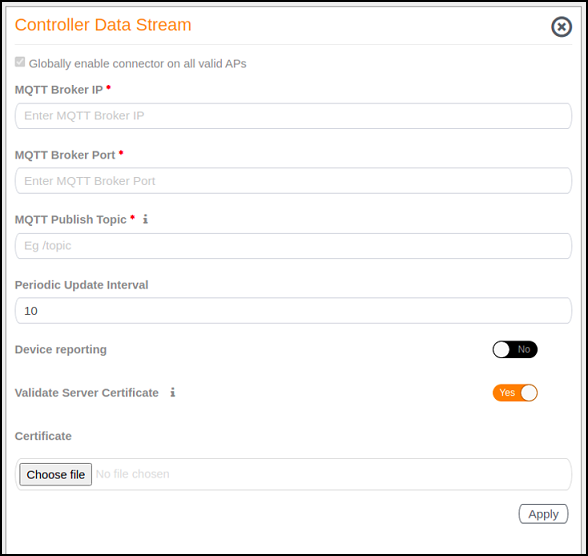
- After the Controller Data Stream plugin is activated, enter the following configuration
parameters.
- In MQTT Broker IP, enter the IP address of your MQTT broker.
- In MQTT Broker Port, enter the network port to which you want to connect.
- In MQTT Publish Topic, enter the topic name as a simple string that is hierarchically structured with forward slashes (/) as delimiters. An MQTT client can publish messages as soon as it connects to a broker.
- In Periodic Update Interval enter the interval to receive MQTT Publish.
- Enable Device Reporting and enter the topic endpoint which will publish message whenever a device change event is received.
- Enable Validate Server Certificate to secure the connection with SSL.
- Click Apply.
- To deactivate the Controller Data Stream plugin, select it and click Deactivate.
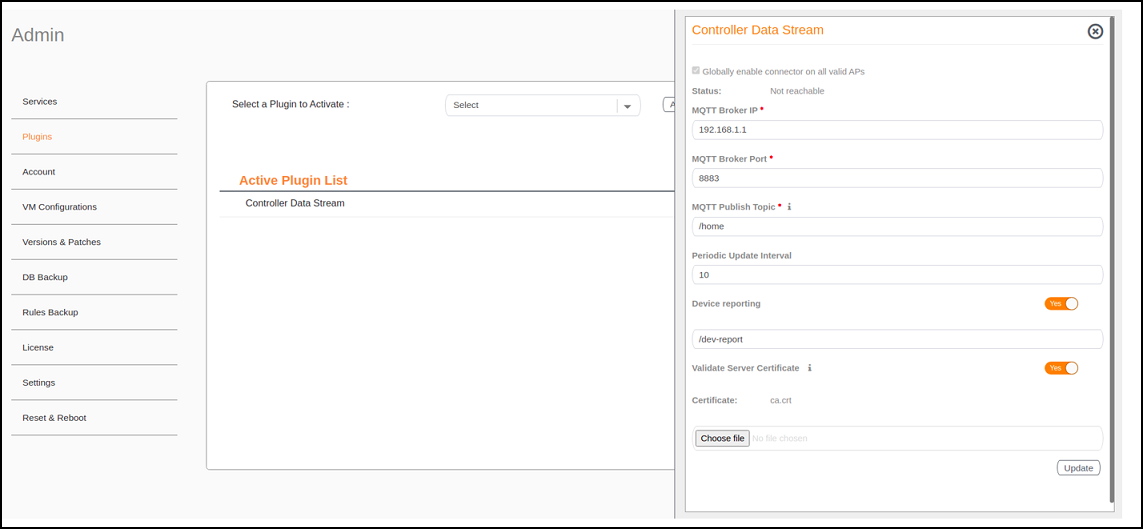
- To edit the configuration of the Controller Data Stream, select it and click Update.