Managing OSRAM Light Bulbs
Ensure that the bulb is in the OFF state.
Switch on the power for five seconds.
Switch off the power for two seconds.
Repeat steps 2 and 3 five times.
Switch on the power.
The OSRAM light bulb on the Reset/Initiate discovery blinks blue, green, and red, and then the light bulb remains on.
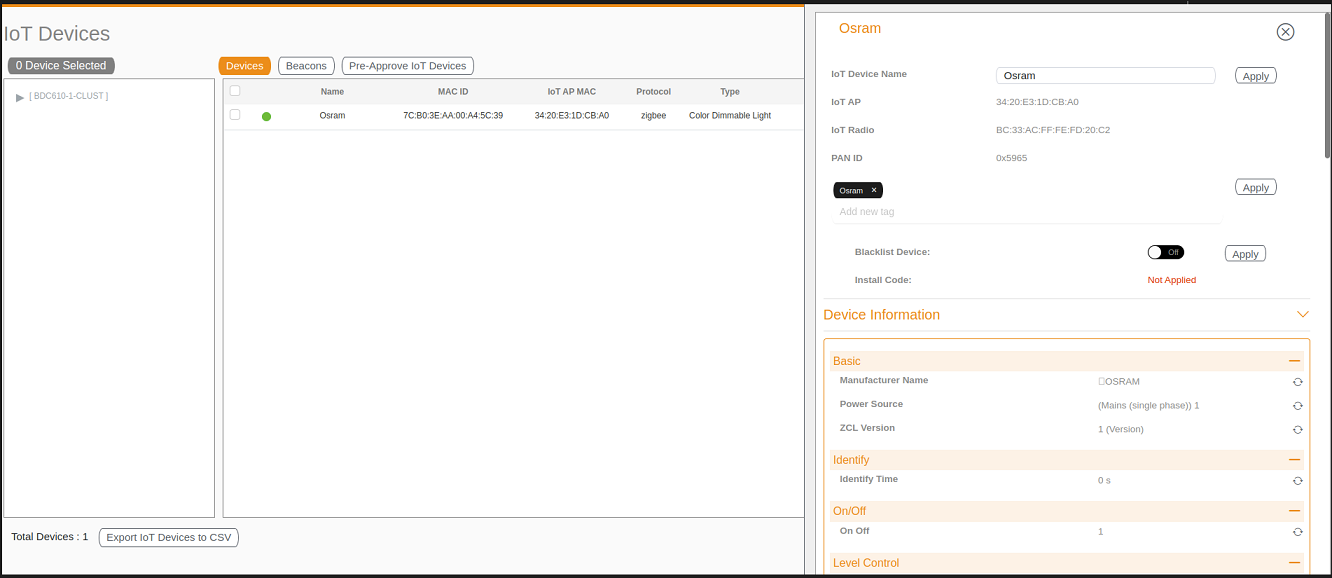
After clicking the device, the right pane is displayed. In this pane, you can edit device configurations and device operations. To change device configurations, set the device name in the IoT Device Name field, select an AP association from the IoT AP list, select the device tag from the Add new tag list, and set the device blacklist from the BlackList Device list. Device operations depend on the device selected.