Activating and Editing the Assa Abloy Plugin
The RUCKUS IoT Controller provides
support for the Assa Abloy door locks plugin. The RUCKUS IoT Controller reads the
packet from the IoT AP and routes the packets to the Visionline Server.
To establish a connection to a vendor infrastructure, the administrator must perform the following steps.
- From the main menu, click Admin.
- In the left navigation pane, click Plugins.
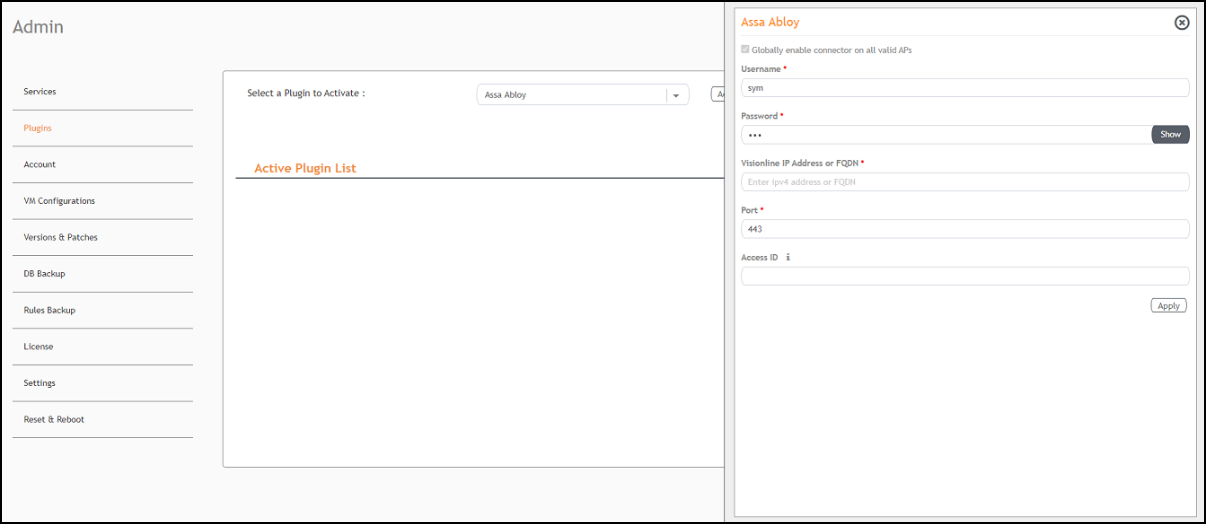
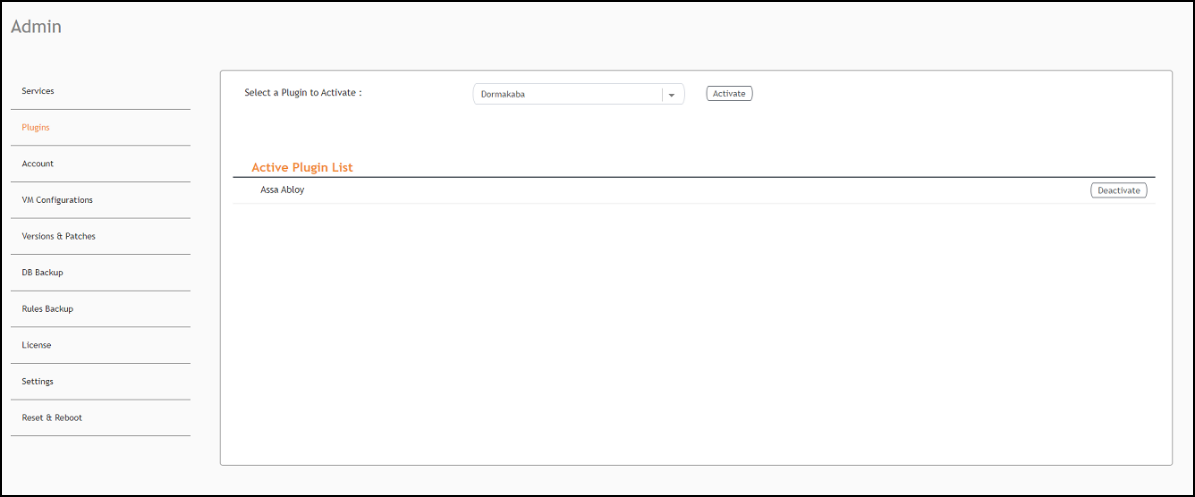
- In the Select a Plugin to Activate list, select the Assa Abloy plugin and click Activate.
- After the Assa Abloy plugin is activated, enter the following configuration parameters.
- Click Apply.
- To deactivate the Assa Abloy plugin, select it and click Deactivate.
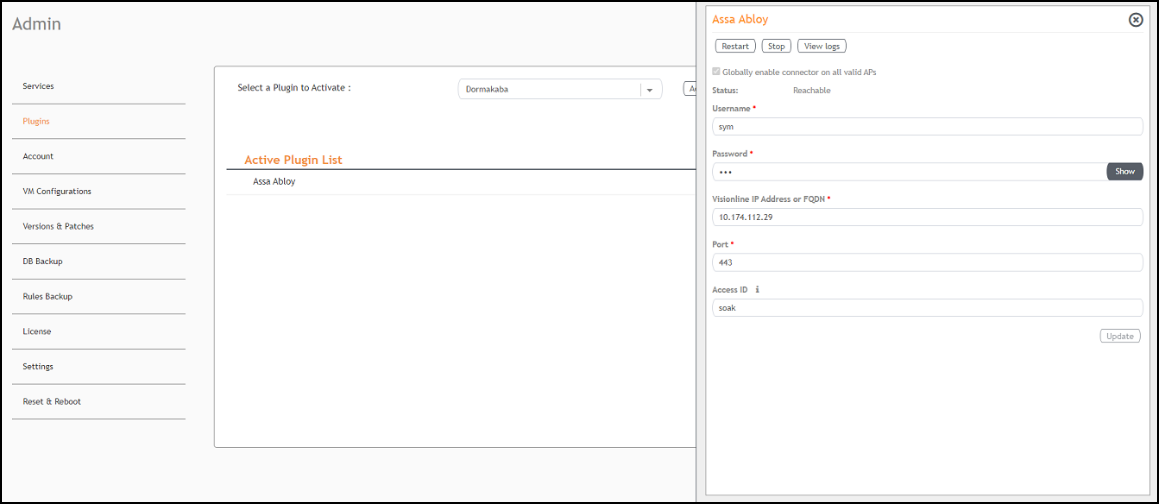
- To edit the configuration of the Assa Abloy plugin, select it and click Update.