Managing Running Configuration Backups

The running configuration file stores the configuration that is currently active on the device, including any changes applied in any management sessions since the last reboot. The running configuration file is not persistent; that is, the configuration changes made while the device is running are not retained after a reboot. You can back up the running configuration file to a local machine and restore the file at a later point in time based on your requirements.
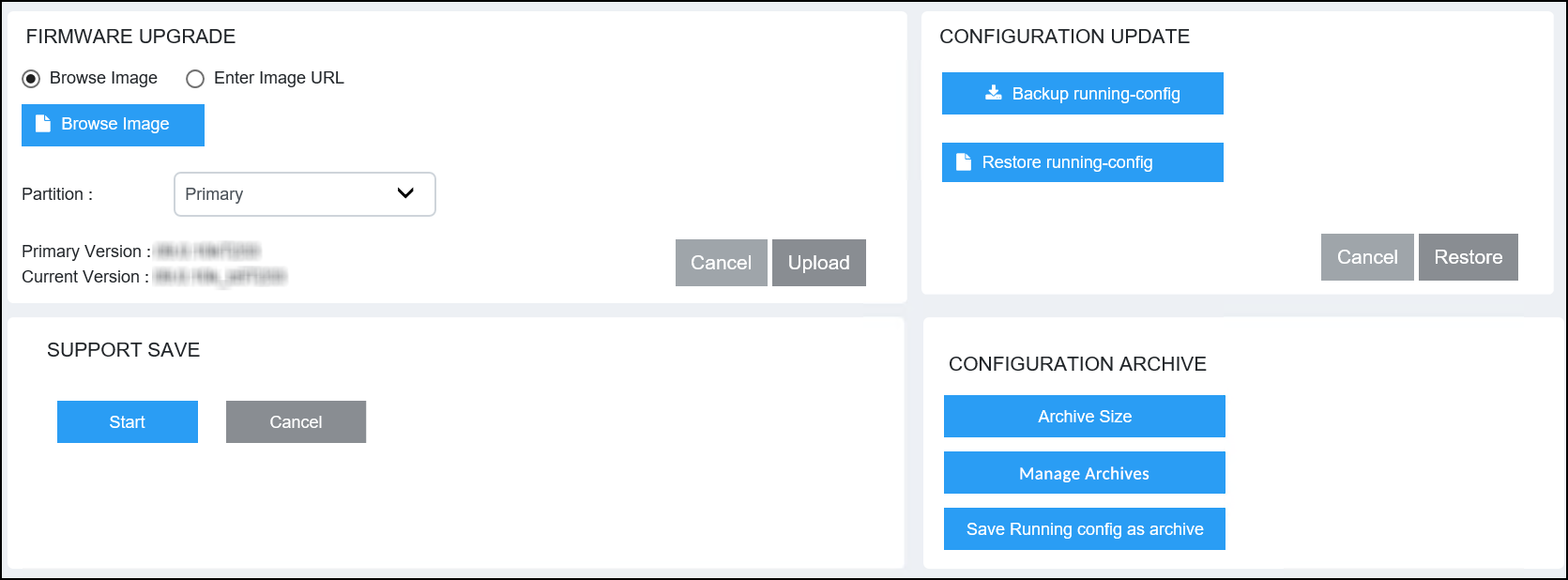
Complete the following steps to back up the running configuration file.

  1. Select Management > Infra.

    Managing the Running Configuration File

  2. In the CONFIGURATION UPDATE pane, select Backup running-config.
    The running configuration downloads to the local machine.

Restoring the Running Configuration

Complete the following steps to restore the running configuration file.

  1. Select Management > Infra.
  2. In the CONFIGURATION UPDATE pane, select Restore running-config.
  3. Browse and select the saved running configuration file.
  4. Select Restore to restore the running configuration file to the device.