Accessing the Remote CLI

The Terminal option provides access to the remote command line interface (CLI) through the web interface. The functionality and behavior of the remote CLI available through the Web CLI pane is the same as that of the CLI session available through the console, SSH, or Telnet. Using the remote CLI, you can configure, monitor, and manage the switch. The configurations performed in the remote CLI are reflected in the Web Management Interface and vice versa.

Complete the following steps to access the remote CLI.

  1. Select .
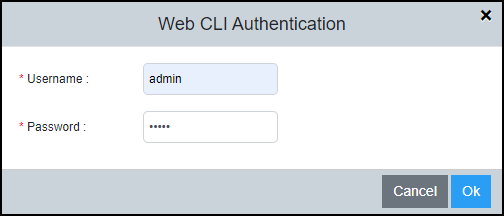
    The Web CLI Authentication dialog box displays.

    Login Credentials

  2. Enter the username and password configured for user authentication and select Ok.

    For more information about user account configuration and AAA authentication, refer to the RUCKUS FastIron Security Configuration Guide.

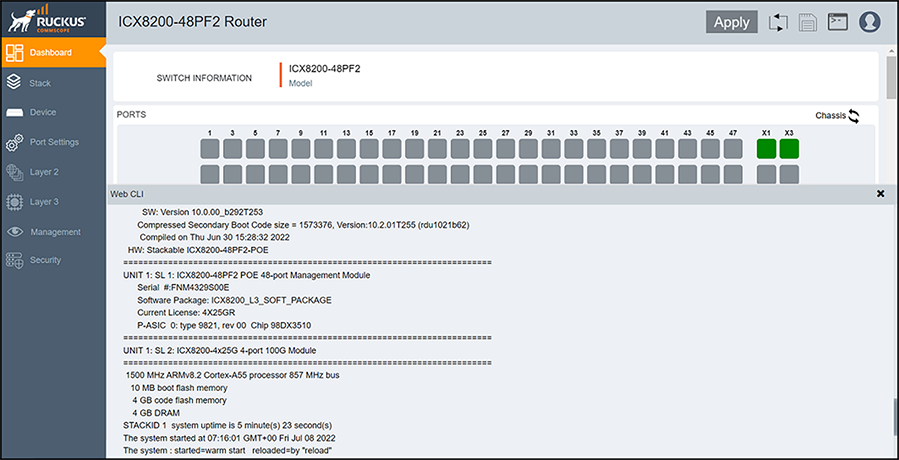
    After successful authentication, the remote Telnet session of the switch management port displays in the Web CLI pane.

    Web CLI Pane

  3. View, add, edit, or delete the configurations from the Web CLI pane.
    The configuration shown in the Web CLI pane is similar to console, SSH, or Telnet session to the device.