Configuring IP Static Routes

Static routes are manually configured entries in the IP routing table. You can configure a static IP route and specify the destination address for the route and the next-hop gateway through which the Layer 3 device can reach the route.

Complete the following steps to configure an IP static route and add an administrative distance to the static route.
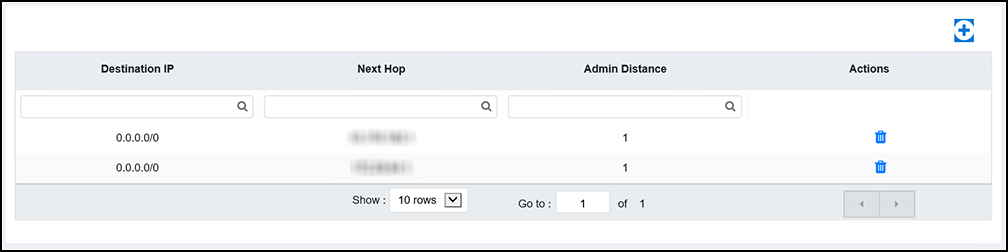
  1. Select Layer 3 > Routes.
    The configured routes are listed in the main pane.

    IP Routes

    You can perform the following actions:
    • Add a route: Continue to step 2 to add a new IP static route.
    • Delete a route: Select to display the Delete Routes dialog box. Select Apply to delete the specified IP static route.
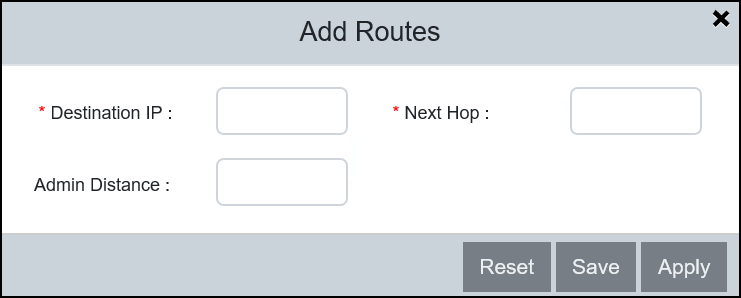
  2. Select to display the Add Routes dialog box.

    Adding Routes

  3. Complete the following fields:
    • Destination IP: Enter the destination IP address and subnet mask for the route path.
    • Next Hop: Enter the IP address for the next hop.
    • Admin Distance: Enter the administrative distance of the route.
  4. Select Apply to create the IP static route.