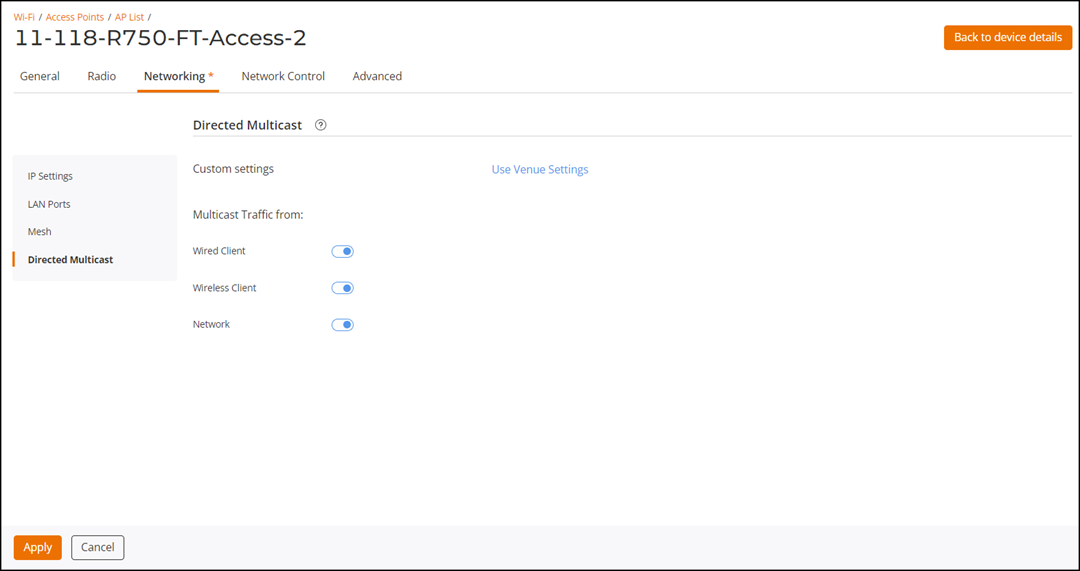
Configuring Directed Multicast
You can configure the directed multicast
on an access point (AP).
- On the navigation bar, click .
- Click the name of the AP on which you want to configure directed multicast.
- On the upper-right corner, click
Configure. The AP configuration page is displayed.
- Select the Networoking tab.
- From the left mini navigation bar, click the Directed Multicast tab.
- Click Customize.
- In the Multicast Traffic from section, toggle to the following to enable directed multicast.
- Click Apply Directed Multicast.