BlackBerry Configuration Instructions
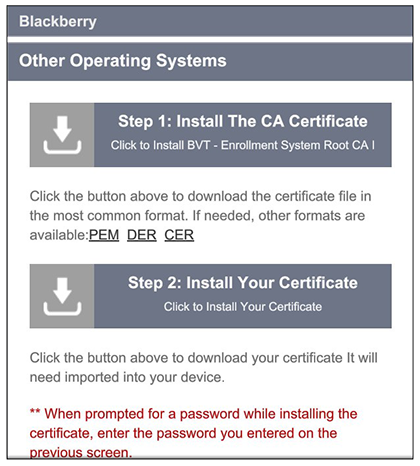
The application detects the user agent for a BlackBerry device and provides the correct configuration instructions. BlackBerry instructions are displayed on the Other Operating Systems tab. This screen includes the steps required to install the certificates and to configure the device for the secure wireless network.
Install Certificates
For this sample configuration, Steps 1 and 2 provide instructions for downloading the CA certificate and user certificate.
Configure Wi-Fi Instructions
For this sample configuration, Step 3 provides the wireless network settings.
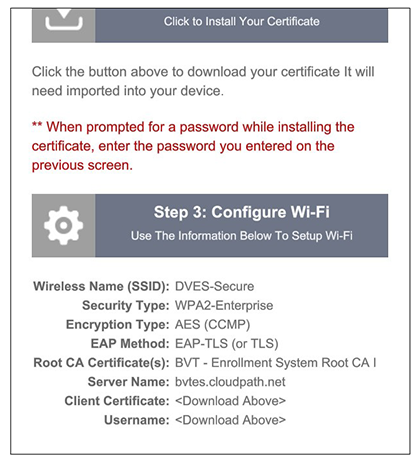
Note: The certificate information is not populated on the configuration step until the certificates have been downloaded.
Continue with the next sections to download and import the certificates.