Step 2: Configure the Port Grouping
The controller offers two types of port configurations: one port group or two port groups. Select your preferred port configuration. Available options include:
-
One Port Group: The management and AP tunnel traffic are combined on a single interface. RUCKUS Networks recommends selecting this option to simplify the setup process. If you select One Port Group, you will need to enter one set of IP address settings.
-
Two Port Group: The management and AP control traffic and the AP tunnel data traffic are separated. If you select Two Port Group, you will need to enter two sets of IP address settings.
Note: On the SZ104, the two 10GB ports are bound to Port Group 2.
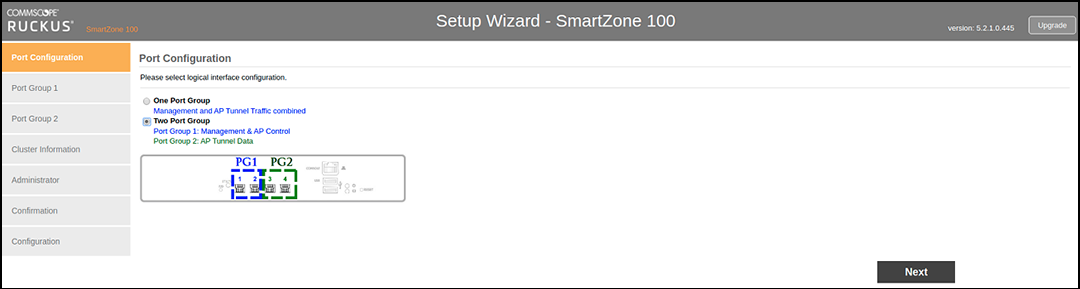
- Click Next. The next setup wizard page that appears depends on the port configuration option that you selected.
- Go to the relevant section in Step 3: Configure the IP Settings.