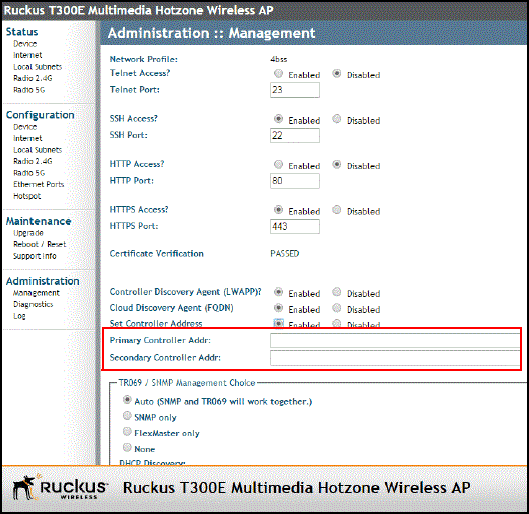
Method 5: Manually Configure the Controller Address on the AP’s Web Interface
- Log on to the AP’s web interface.
- Go to the page.
- In Primary Controller Address, type the IP address of the controller that you want to manage the AP.
- In Secondary Controller Address, type the IP address of a backup controller that you want to manage the AP if the primary controller is unavailable.
- Click Apply.