If This Controller Is Forming a New Cluster
Follow these steps if you want to use this controller to create a new cluster.
- On the Cluster Information page, configure the following settings:
- In NTP Server, type the address of the NTP server from which members of the cluster will obtain and synchronize time. The default NTP server is pool.ntp.org.
- In AP Conversion, select the check box if you want ZoneFlex APs that are in factory default settings to be converted to SmartZone APs automatically when they are connected to the same subnet as the controller.
- In AP IP Mode, select one of the following options:
- Click Next to continue to the next Setup Wizard page. The Administrator page appears.
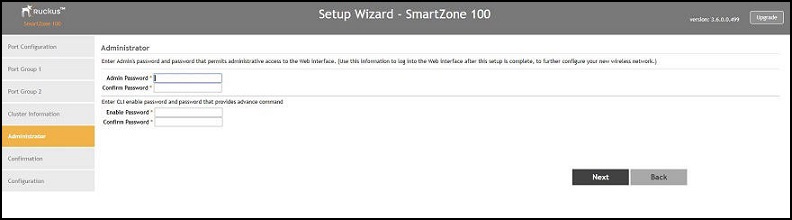
- On the Administrator page, configure the web interface and CLI passwords. All fields are required.
- Click Next to continue. The Confirmation page appears and displays all the controller settings that you have configured using the Setup Wizard.