License Activation Page
Remote Management Services for
Unleashed provides an activation page for domain initialization.
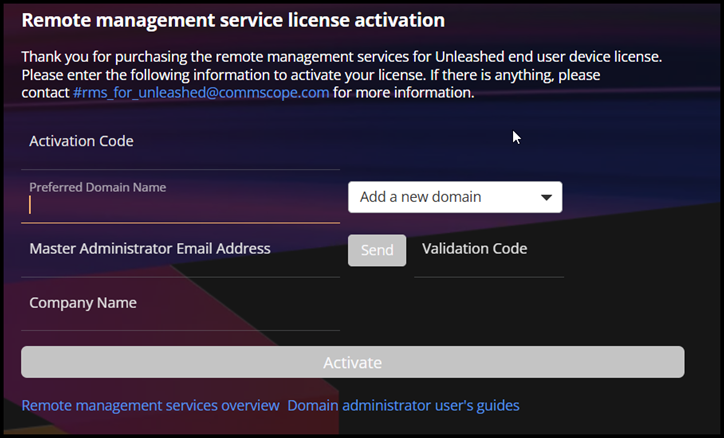
The entire process is as follows:
- After purchasing the license, you will receive a license confirmation email containing an activation code.
- In the license confirmation email, there will be a link directing you to https://activation.rms.ruckus.cloud for activation.
- Click the activation link and enter the required information, including the activation code, preferred Domain name, email address, and company name.
- A verification code will be sent to your email to confirm the domain name.
- The OAM administrator receives a notification regarding the Domain initialization.
- The OAM administrator creates the Domain and the Domain Admin.
- The OAM administrator sends an email notification containing the Domain URL, username, and password.
- Click the activation link.