Generating Server and Client Certificates
You can generate server and client
certificates, view information on the issuance and management of digital certificates
across
your organization by viewing server and client certificates.
- From the navigation bar, select .
- Select Certificate Management.The Add Certificate Instance page is dispalyed. Refer to Add Certificate Instance.
- Select Server & Client Certificate from the Template Instance Type.
- In the Generate
Certificate page, complete the following:
- Certificate Authority: Select a certificate template from the drop-down.
- Identity: Select an identity from the drop-down. Alternatively, click Add to access the Create Identity sidebar and create an identity. For more information on creating an identity, refer to:
- CSR Source: Select one of the following from the drop-down:
- USERNAME: Enter a username.
- Description: Enter a description.
- Click Generate. The certificate is generated.
- (Optional) In the Certificate page, click a name.
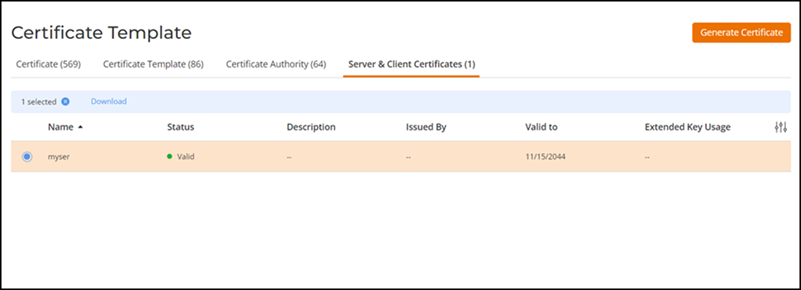
- (Optional) Select a certificate
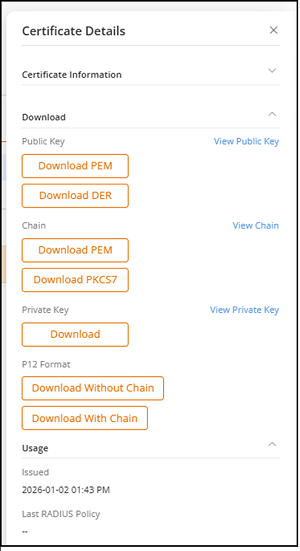
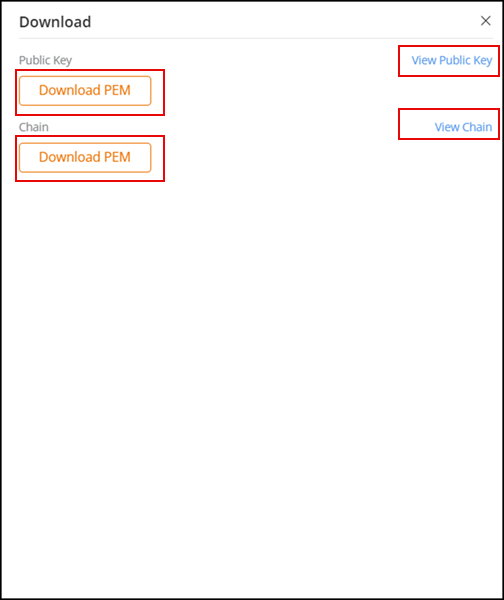
name and click Download to download the certificate.The Download sidebar is displayed.
The Download sidebar provides the following options:
- View Public Key – Click this option to view the public key without downloading it.
- Public Key – Click the Download PEM button to download a Privacy Enhanced Mail (PEM) file containing the public key.
- View Chain – Click this option to view the certificate chain without downloading it. A certificate chain is an ordered list of certificates that allows you to verify the sender's identity and the trustworthiness of all involved Certificate Authorities (CAs).
- Chain – Click the Download PEM button to download a PEM file containing the certificate chain. A certificate chain PEM file contains the end-to-end chain of trust information from the End-Entity Certificate (the certificate issued to the final user or device) to the Intermediate Certificates (certificates that link the end-entity certificate to the root certificate) to the Root Certificate (the top-level certificate issued by a trusted root CA).
- You can view the certificates by clicking on the Certificate
Management in the My Services page.The Certificate Template page is displayed. By default, the Certificate tab is displayed.
- Select the Server & Client Certificates tab.