Collecting PMS Credentials from OHIP
You can use Oracle Hospitality
Integration Platform (OHIP) to retrieve the external Property Management System (PMS)
connection parameters required for PMS integration.
Note: OHIP controls credential availability and environment-level
visibility. You must have an active OHIP account with access to the appropriate PMS
environment before collecting integration parameters.
- Log in to the OHIP
Developer Portal.The portal is displayed with access to PMS environments and associated credentials.
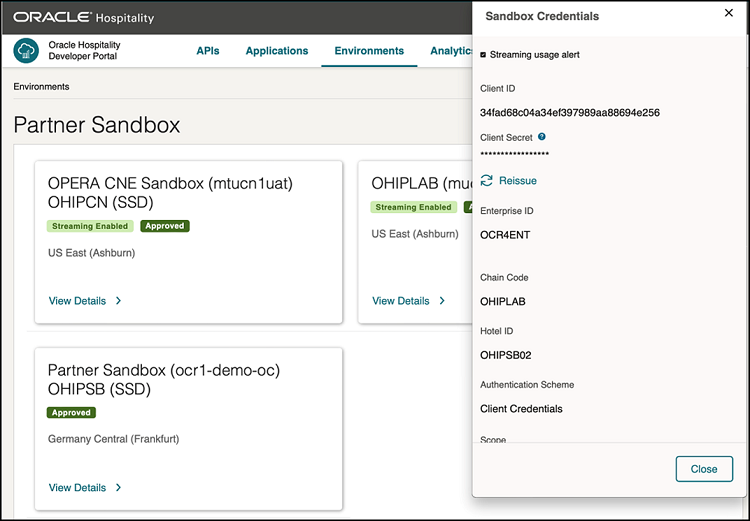
- Select Environments from
the top navigation menu.The Environments page is displayed with all available OPERA PMS integration environments.
- Select the required environment and click View Details.
- Collect the following PMS credential values:
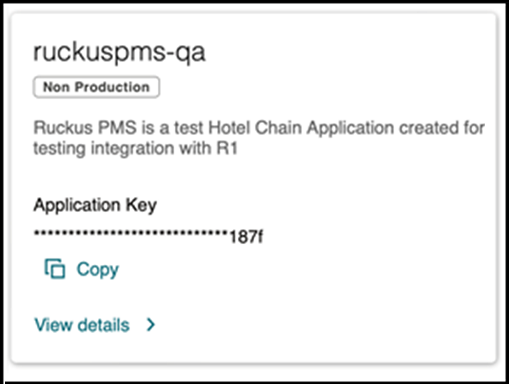
- Select Applications from
the top navigation menu.The Applications page is displayed with access to application‑level credentials required for API authorization.
- Locate the required application tile and copy the Application Key.
- Store all collected credentials securely.