VMware Specific Configuration
If you are installing vSZ-D on VMware,
read these VMware specific configuration recommendations from RUCKUS.
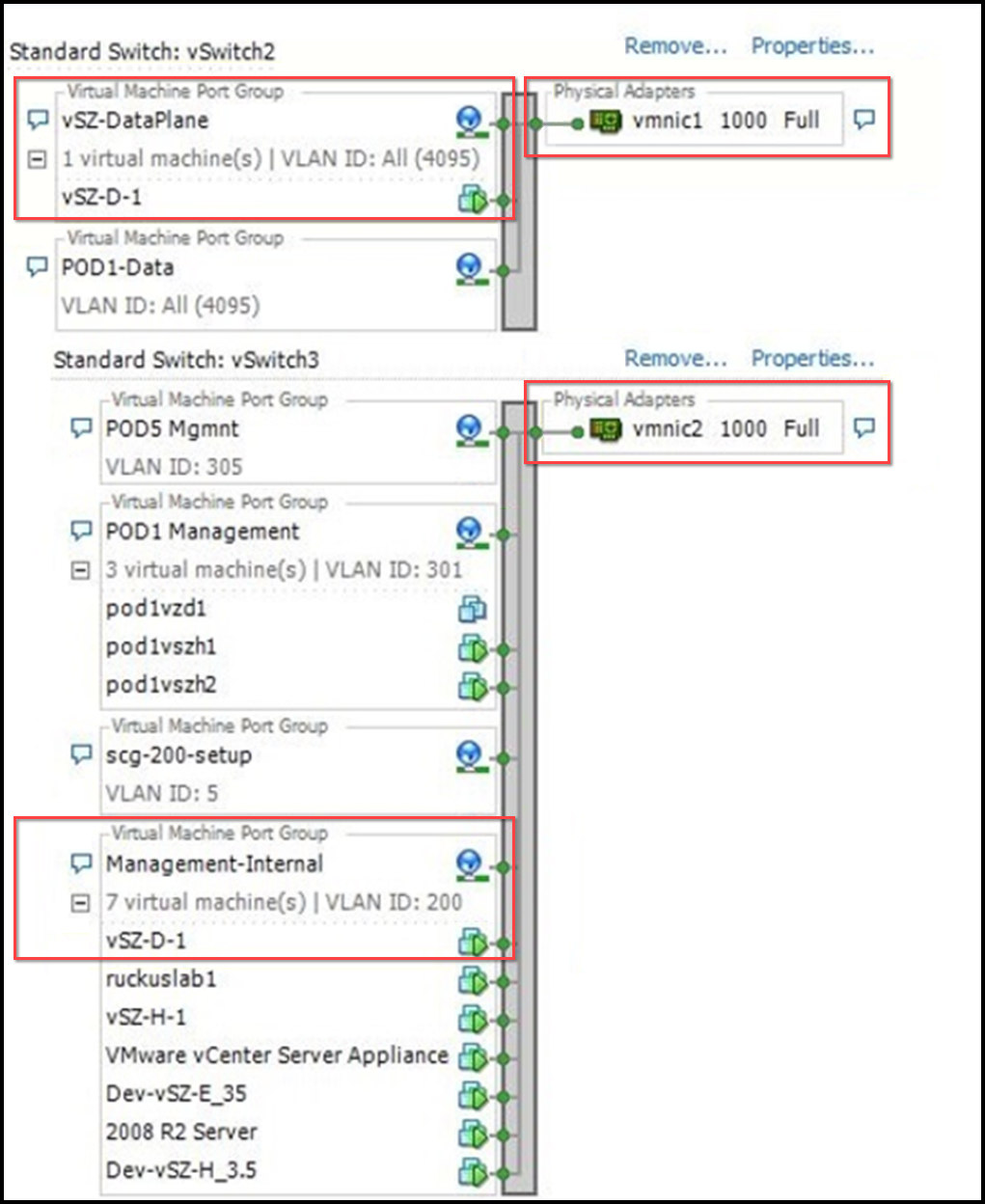
- Deploy vSZ-D on a machine where data and management interfaces are on different VLANs. They can still share the same physical interface.
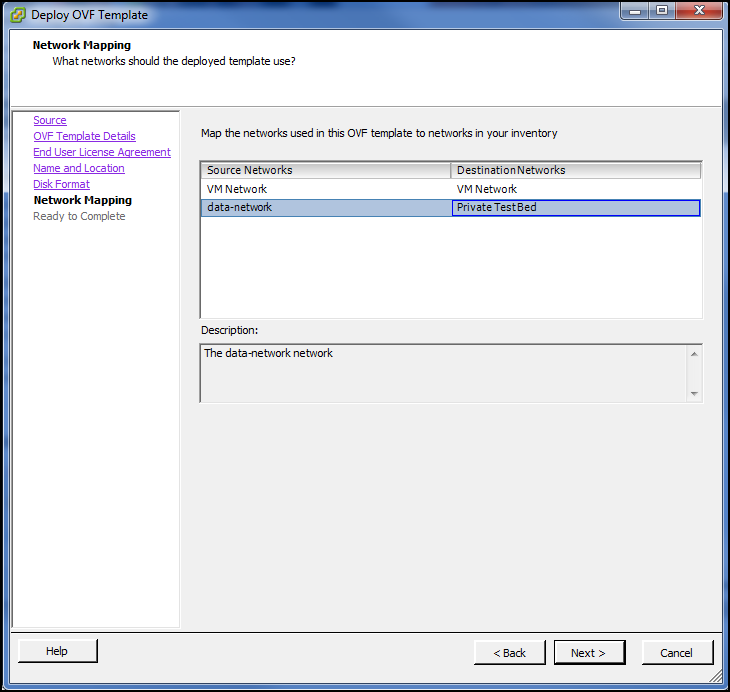
- When deploying an instance of vSZ-D using an OVA file, you must assign the management and data interfaces to two different network groups (vSwitch) on different subnets.
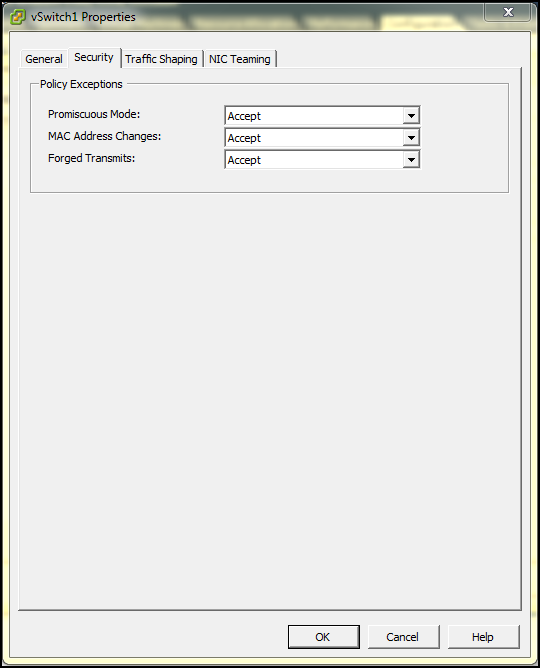
- Select Accept to enable Promiscuous Mode, MAC Address Changes, and Forged Transmits in vSwitch Config.
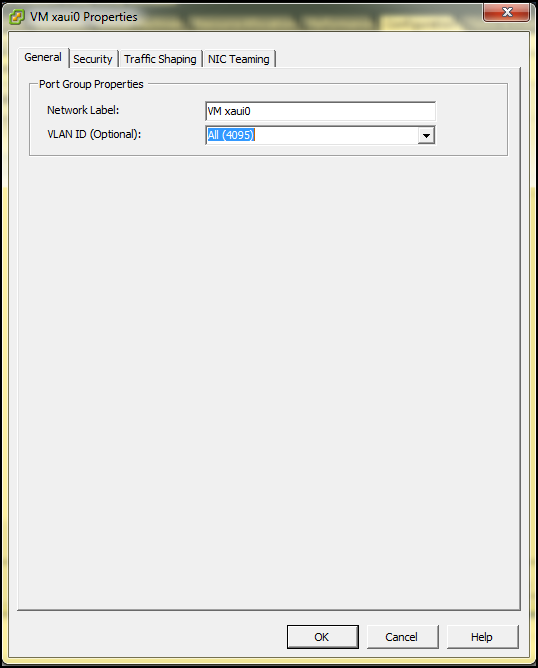
- In vSwitch Config, enable VLAN ID for All.
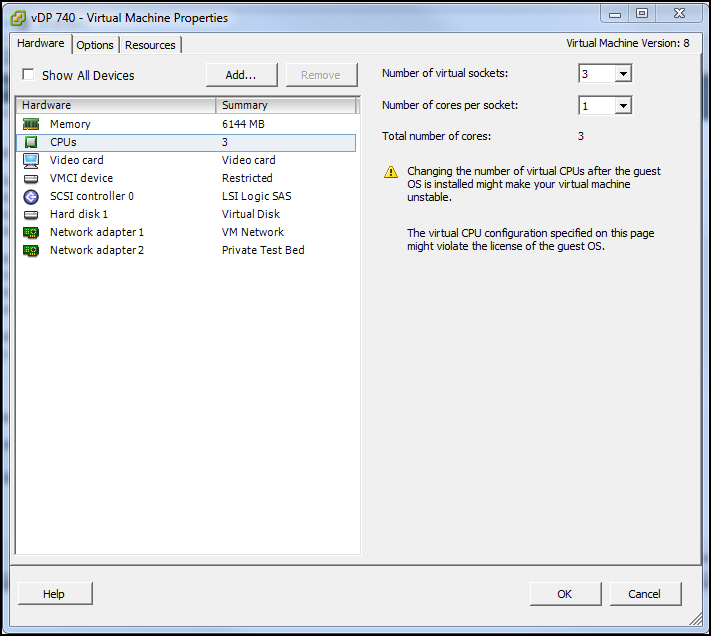
- After the vSZ-D instance is ready, modify the number of CPU cores (if needed) before powering on vSZ-D.
- For advanced CPU and memory resource configuration recommendations, refer to the vSphere Resource Management Guide, which is available on the VMware website.