Flexlink Overview
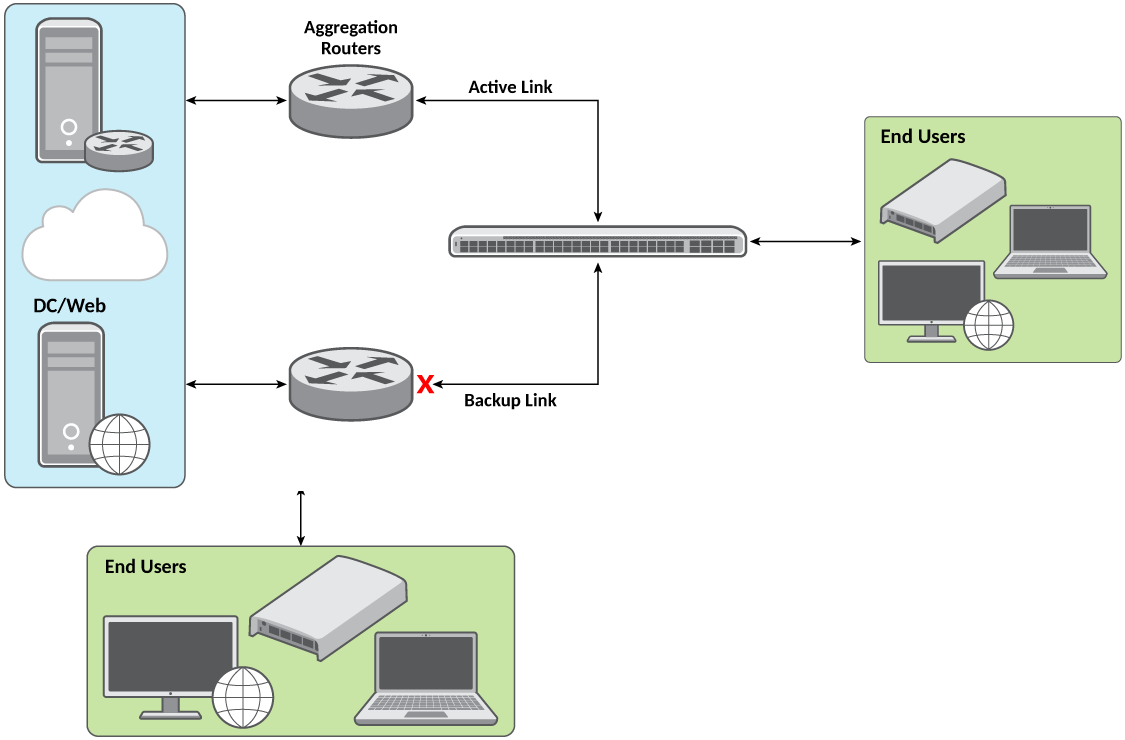
You enable Flexlink on a pair of interfaces by
configuring one interface as the active link and the other interface as the backup
link.
The interfaces can be physical interfaces or LAG interfaces. When a Flexlink instance
is
configured, spanning support is disabled on the configured interfaces; for those
interfaces, the show running-config interface ethernet command output
will display "no spanning-tree" and the show interface ethernet
command output will display "STP configured to OFF"..
In a Flexlink configuration, traffic flows through the active link and all dynamic MAC entries are learned through the active link. The default active link will be assigned to the interface on which Flexlink is enabled. During regular use the backup link remains dormant and only the active link forwards traffic. When the active link fails, network traffic and the MAC addresses learned on the active link are moved to the backup link for network packet forwarding. The Flexlink interfaces (both the active link and backup link) must be physically up to ensure expected failover forwarding behavior. No configuration is required on the peer switch or backup interface for Flexlink to work. You can change the default failover behavior by configuring a preemption mechanism, which allows you to specify the preferred port for forwarding traffic.
The following log is generated by the ICX switch when the active link fails and the backup link transitions to the UP state.
Apr 03 11:06:57:I:Flexlink: Active link 1/1/9 failed, Backup link :1/1/10 transitioning to UP state
Preemption
Flexlink preemption is a mechanism that allows you to specify the preferred interface for forwarding traffic. That is, you can define the criteria for preempting the current active interface by the other interface when it comes back up after a failover. This is done by configuring the following preemption modes:
By default, the preemption mode is "off", that is no preemption will take place. When the active link fails, the backup link will take over and forward the traffic.
- Forced: The preemption forced mode always assigns precedence to the configured active interface to forward the traffic. When the link status of the configured active interface comes up after the failover, it preempts the current active link (configured backup interface) and takes over traffic forwarding.
- Bandwidth: The preemption bandwidth mode preempts the Flexlink link that has lesser bandwidth and chooses the interface with higher bandwidth as the active link.
The following log is generated by the ICX switch when the preemption mode is configured to "forced" and the active link transitions back to a functional state:
Apr 03 11:08:14:I:Flexlink: Preempting Backup link : 1/1/10 by Active link :1/1/9 due to 'forced' mode
Preemption Delay
A preemption delay can be set to postpone the preemption of the current active link by the backup link according to the configured preemption mode. That is, you can set a time delay (in seconds) before allowing the backup link to preempt the current active interface and take over traffic again. The preemption delay helps to avoid frequent active-to-backup switchover. Preemption delay configuration is applicable only for forced and bandwidth preemption modes. Preemption delay configuration and the preemption mode "off" are mutually exclusive.