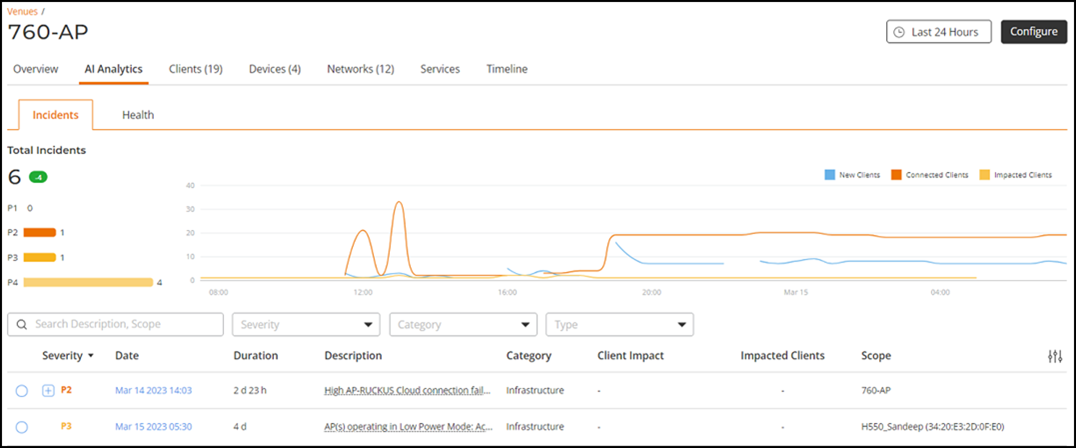
Incidents Analytics of a Venue
- On the navigation bar, click
Venues.The Venues page is displayed.
- Click to check for incidents.By default, the Incidents page is displayed.
The Incidents tab for the venue displays the total number of incidents and further slices the details to list the number of incidents by severity. Additionally, a small capsule is displayed next to the total number of incidents indicating the difference in value compared to the previous time period indicating positive or negative change with respect to the metrics. If the values improved compared to previous time period, the capsule is displayed green and colored red if current values were lower than the previous one.
For more information on the Incidents such as Incident Details, Insights, attributes in the incidents list table, network impact, and recommended actions, refer to Incidents Page.