Accessing the Resident Portal
Use the Resident Portal to view or reset
the Unit Wi‑Fi passphrase, the Guest Wi‑Fi passphrase, and an Identity Wi‑Fi passphrase
for
individual Identity Devices, and to remove a connected device.
- You can access a Resident Portal only for a venue where Property Management is enabled and configured to use a resident portal (the Resident Portal field must not be set to No Resident Portal).
- The appearance of Unit Wi‑Fi and Unit Guest Wi‑Fi sections in the Resident Portal is controlled by the Hide system generated identities setting in the unit configuration. When enabled for a unit, the portal hides the Unit Wi‑Fi, Guest Wi‑Fi, or both sections. Manually added identities remain visible.
- In the navigation bar, select
.The Venues page is displayed.
- Click the Venue name.
- Click the Property Units tab.
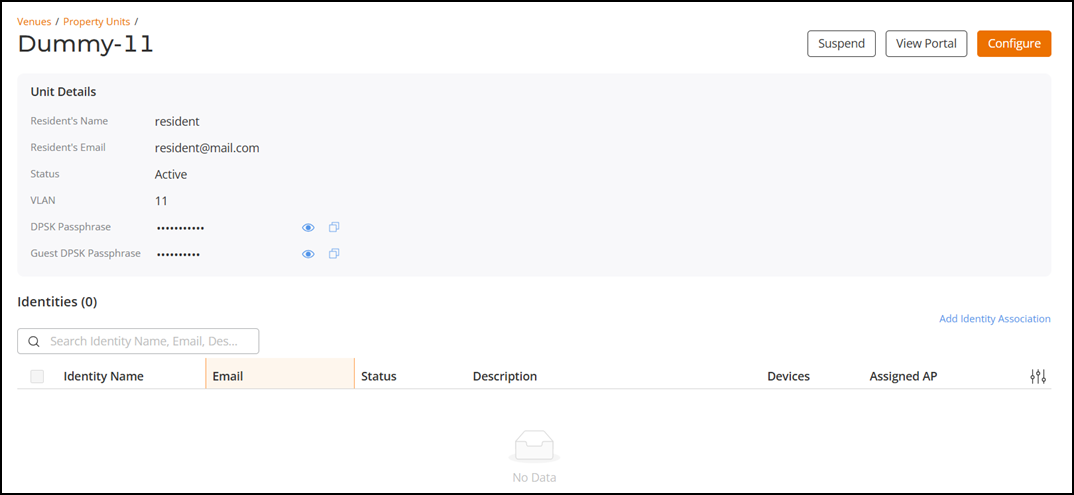
- Click the Unit Name.
- Click View
Portal.The resident portal opens in a new tab in your browser.
- Click Access Your
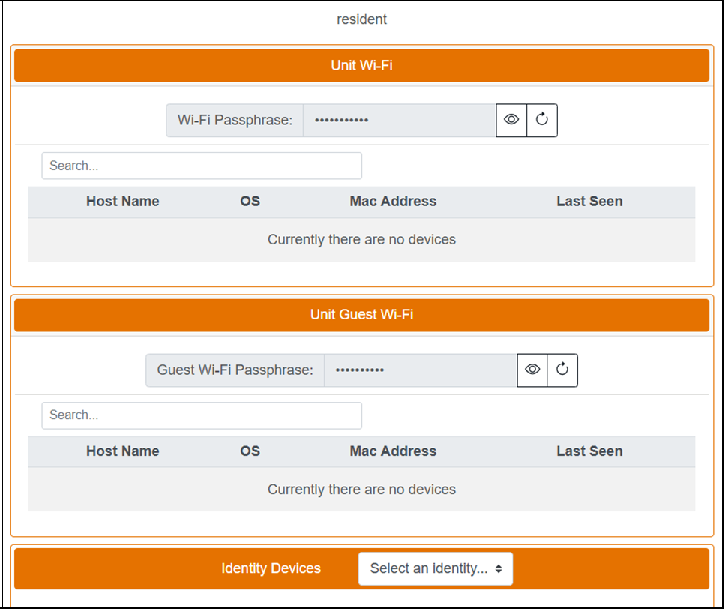
Portal.The resident portal home page is displayed.Note: When Hide system generated identities is enabled for a unit, the portal hides the Unit Wi‑Fi and Unit Guest Wi‑Fi sections for that unit. When it is disabled, both sections appears.
Refer to Viewing Resident Portal Web Page for more information.
- Unit
Wi-Fi: Click the
 icon to show or hide the passphrase. Click the
  icon to generate a new passphrase. The passphrase length follows the
administrator setting in the DPSK pool. You can view devices that have accessed
the Unit Wi‑Fi network.
icon to generate a new passphrase. The passphrase length follows the
administrator setting in the DPSK pool. You can view devices that have accessed
the Unit Wi‑Fi network. - Unit Guest
Wi-Fi: Click the
icon to show or hide the passphrase. Click the
icon to generate a new guest passphrase. The passphrase length follows the
administrator setting in the DPSK pool.
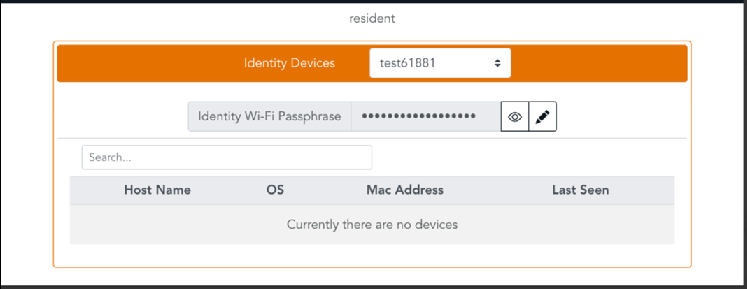
- Identity
Devices: Select an identity from the drop‑down. Click the
icon to show or hide the Identity Wi‑Fi passphrase. Click the
icon to generate a new passphrase. View devices associated with the selected
identity that have accessed the network.Note: Manually associated identities are always displayed, even if system‑generated identities are hidden.