Associating Multiple Identities with a Property Unit
Administrators can create distinct,
customized portals within a unit by adding additional identities beyond the default
root and
guest.
- Property Management must already be enabled for the venue and one or more units are already added to the property. Refer to Creating a Property Management and Property Unit for more information.
- An Identity Group must already be associated with the venue and Identities must already have been created and associated with the Identity Group. Refer to Managing Identity Groups and Managing an Identity.
- Note:
- A maximum of 10 unique identities can be associated with a property unit.
- Each identity can only be associated with a single unit at any given time.
- When a unit is suspended, all associated identities are blocked, regardless of their association with other services. Upon reactivation of the unit, all associated identities will be restored.
- You can remove an identity association as and when required.
- On the navigation bar, click
Venues.The Venues page is displayed.
- Click on the specific
Venue Name.By default, the Overview tab for the venue is displayed.
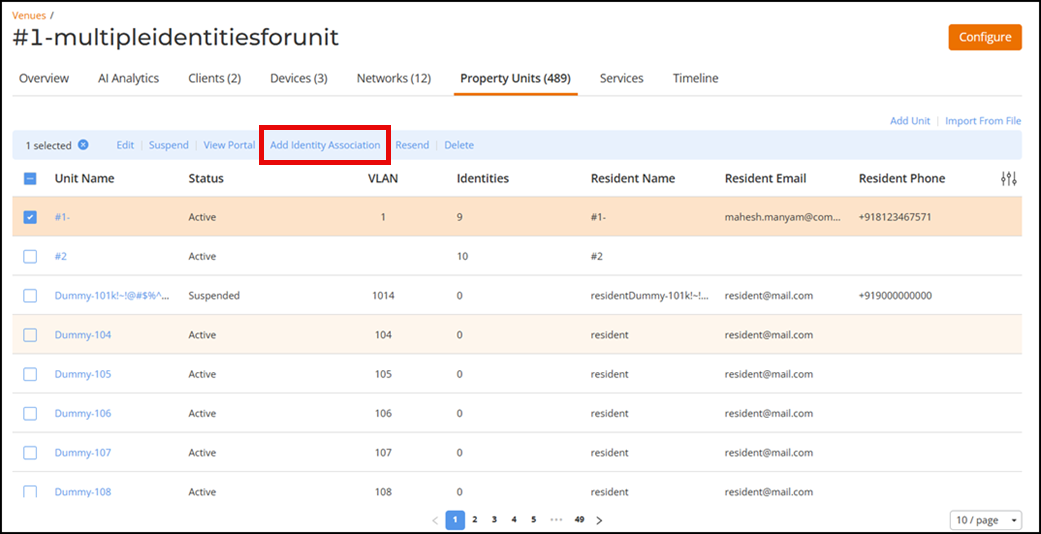
- Select the Property Units tab.
- Click the checkbox for a specific unit to access the Add Identity Association option.
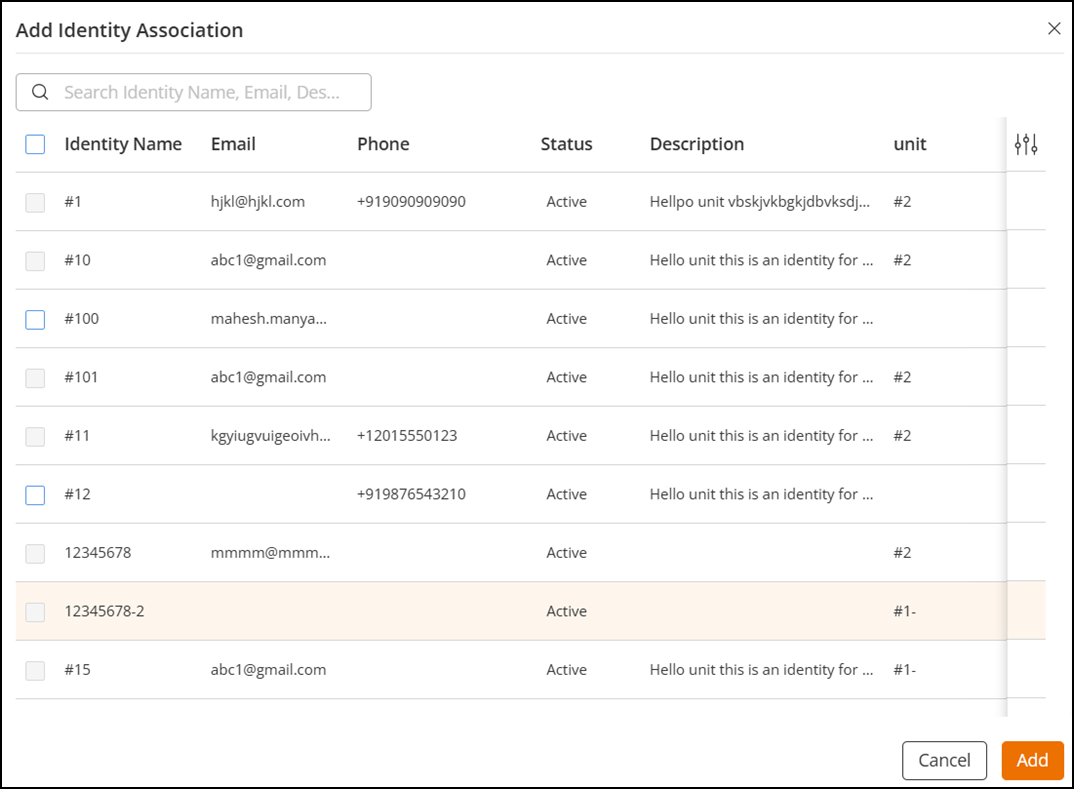
- Click Add Identity Association to access the Add Identity Association sidebar.
- Select the identities that you
want to add to the property unit by clicking the checkbox alongside each
required identity name.You can add up to 10 identities to a property unit.
- Click Add.The selected identities are added to the property unit.