External Antenna Settings
From the RUCKUS One web interface, you can
configure the external antenna settings.
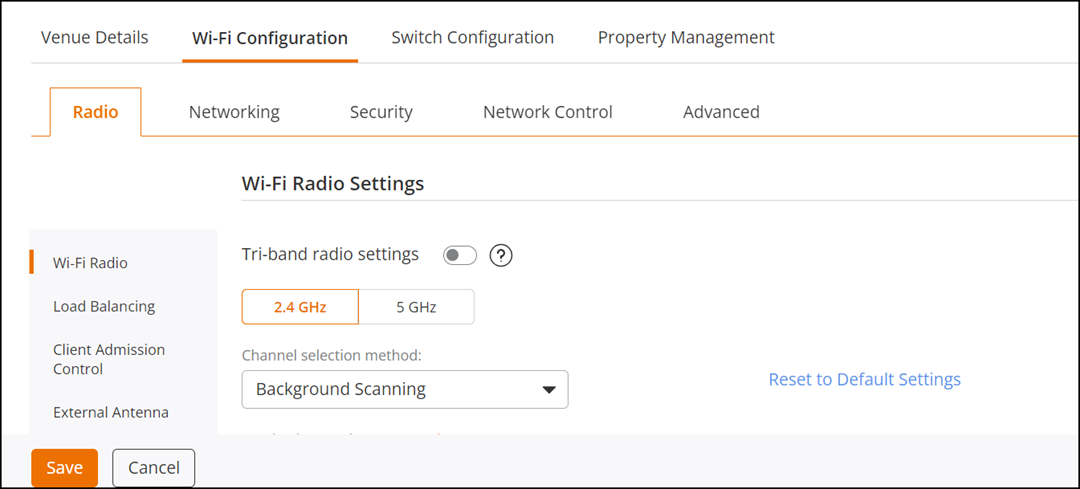
- On the navigation bar, click
Venues.The Venues page is displayed.
- Select the Venue Name and click Edit. Alternatively, click .
- Select the Wi-Fi Configuration tab.
- Click External Antenna or scroll down to the External Antenna tile.
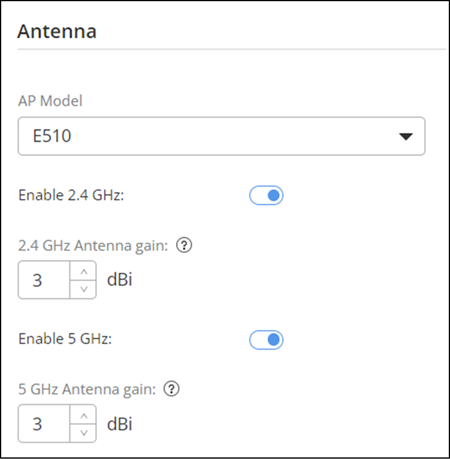
- Select the AP Model from the dropdown list.
- Configure the following
parameters:
- E510: Toggle the Enable 2.4 GHz and Enable 5 GHz switches to ON. Specify the antenna gain for 2.5 GHz and 5GHz as specified in the antenna data sheet and then click Save.
- T350SE: Toggle the Enable switch to ON. Configure the 2.4 GHz Antenna gain and 5 GHz Antenna gain as specified in the antena data sheet and then click Save.
- T750SE: Toggle the Enable switch to ON. Specify the parameters for 2.4 GHz Antenna gain and 5 GHz Antenna gain as specified in the antena data sheet and then click Save.