Switch Settings: General
You can configure general switch settings
such as configuration profiles, DNS, and syslog servers from the RUCKUS
One web interface.
- On the navigation bar, click
Venues.The Venues page is displayed.
- Select the Venue
Name and click Edit.
Alternatively, select the venue name and click
Configure.The Edit Venue page is displayed, defaulting to the General tab.
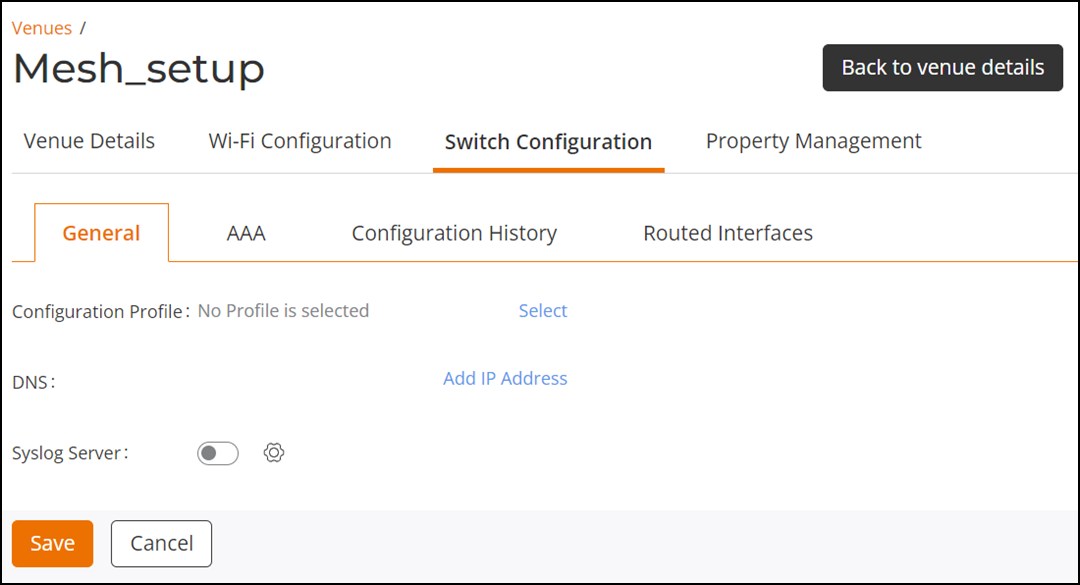
- Click the Switch Configuration tab.
- (Optional) Configuration Profile: Complete the following
steps to add a configuration profile:
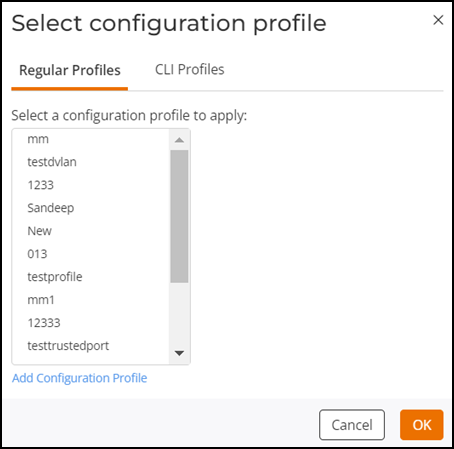
- Click Select. The Select Configuration Profile dialog box is displayed, defaulting to the Regular Profiles sub-tab.
- Select a regular profile from the Regular Profiles
list or add a new switch configuration profile.
- Click Add Configuration Profile to add a switch configuration profile. Refer to Adding and Managing a Regular Switch Configuration Profile.
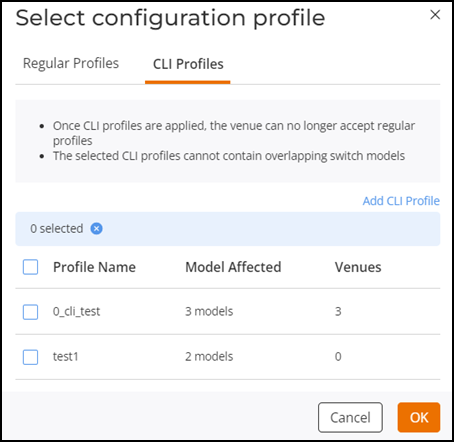
- Select CLI Profiles sub-tab and select one or more
CLI profiles using the checkboxes from the list or add a new CLI
profile.
- Click Add CLI Profile to add a CLI configuration profile. Refer to Adding a CLI Configuration Profile.
- Click Select.
- (Optional) DNS: Complete the following steps to add a DNS profile:
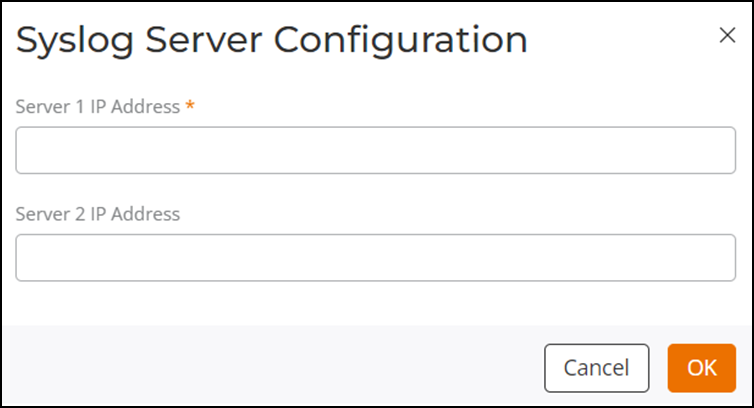
- (Optional) Syslog Server: Complete the following steps to add a syslog server:
- Click Save to save the switch settings.
 icon to remove the IP address.
 icon to enable and configure an external
syslog server.
icon to enable and configure an external
syslog server.