Searching Unplaced Devices in a Venue
In the Unplaced
Devices page, you can view the list of unplaced networking devices. The
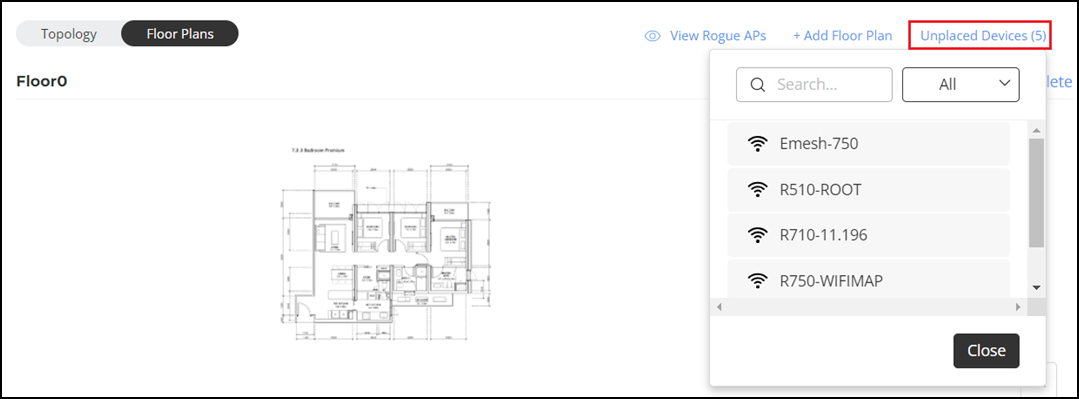
Unplaced Devices section displays all the unplaced networking
devices (Wi-Fi APs, switches, and Cloudpath Servers) in an alpha numeric that is
ascending
order. If there are a large number of unplaced devices, using the search unplaced
devices
option, you can search an unplaced device by its name and place it on the desired
floor plan
of a venue.
- On the navigation bar, click
Venues.The Venues page is displayed.
- Click .
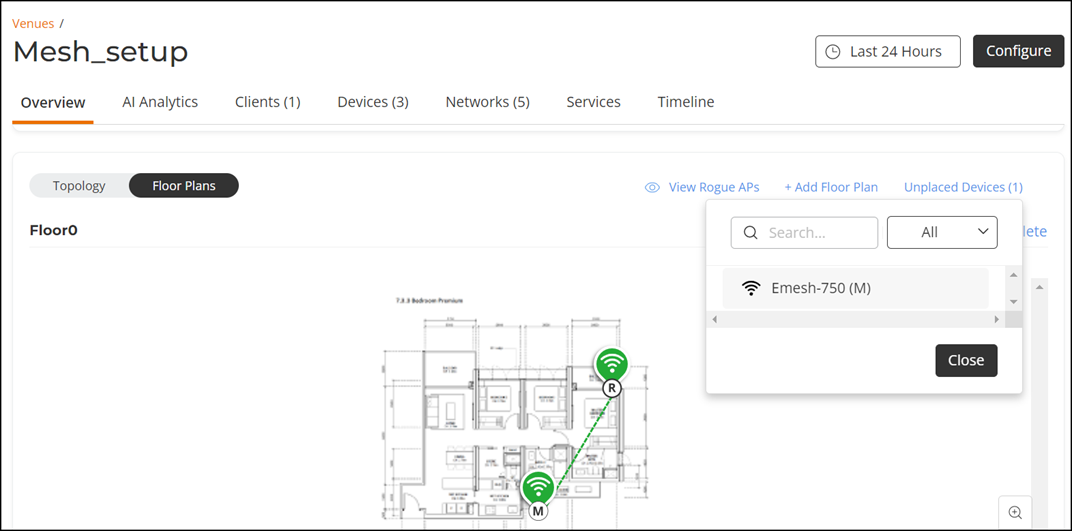
- Click Unplaced Devices dropdown list to view the unplaced devices. You can use the search option to search a device. Enter two or more alpha numeric characters to see updated searched list of unplaced devices.
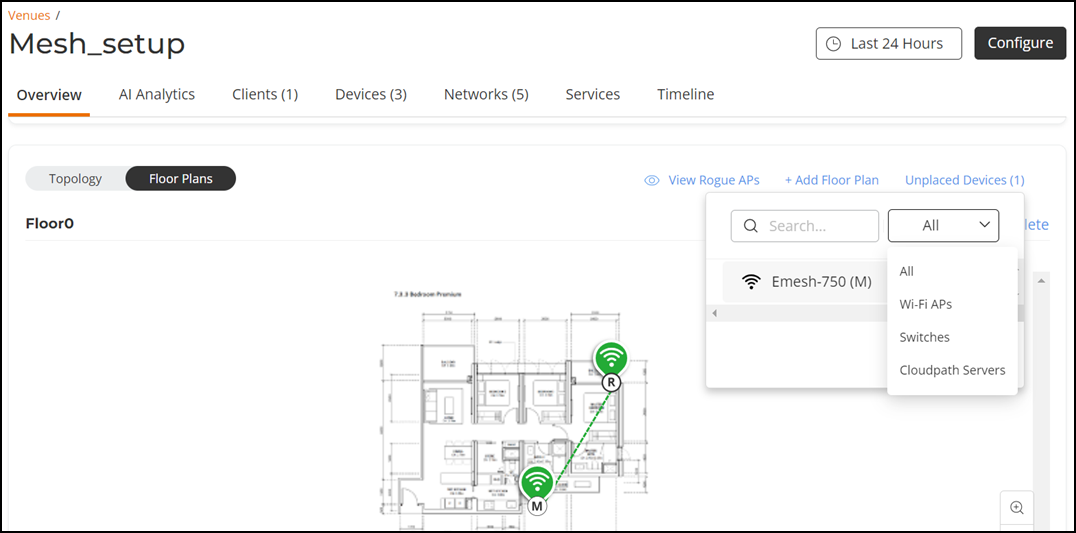
- (Optional) Click the dropdown All. You can choose one of these options to further refine the search based on the category selected