Assigning a Syslog Server Policy to an Edge Cluster
Assigning a Syslog Server policy to an
RUCKUS Edge cluster enables all edges within the cluster to use a common syslog
configuration for forwarding log messages to a designated syslog server.
- On the RUCKUS One navigation bar, select .
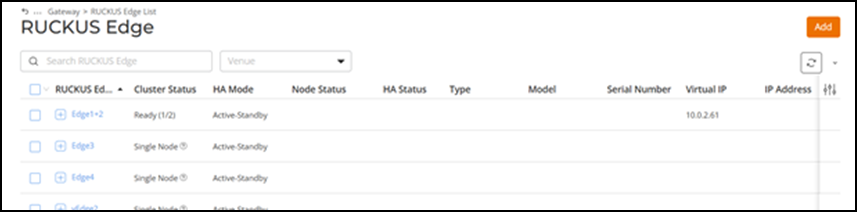
- Click the checkbox for the necessary RUCKUS Edge cluster from the list, then click Edit.
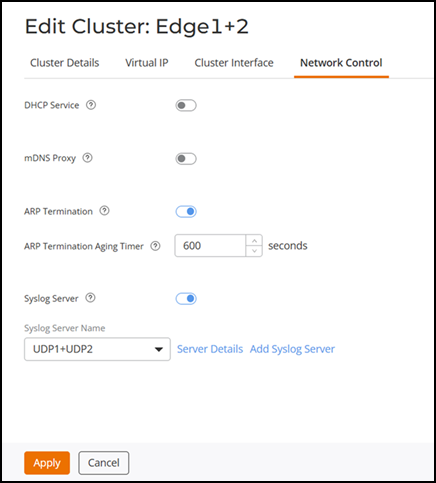
- Click the Network Control tab.
- The Syslog Server
option is enabled by default. You can click the Syslog Server
toggle to disable this option. Hover your cursor over the
 icon next to Syslog
Server to access the compatibility requirements; click
See the
compatibility requirements to view the minimum required firmware
version and the supported models.
- Select the Syslog Server Name from the drop-down. Alternatively, click Add Syslog Server to create a new policy; the Add Syslog Server page is displayed. If adding a new policy, refer to Creating a Syslog Server PolicyS for more information regarding service settings and scope. Click Server Details to view the primary and secondary server details of the selected Syslog Server policy.
- Click Apply to save the network control settings.