Tunnel Profile
Tunnel mode enables wireless clients to
roam across different APs on different subnets. For example, a Wi-Fi network may tunnel
end-user traffic by utilizing an SD-LAN service configured with a tunnel profile that
supports VLAN to VNI mapping. If the WLAN has clients that require uninterrupted wireless
connection (for example, VoIP devices), RUCKUS recommends enabling tunnel mode.
Note: When tunnel mode is enabled on a WLAN, multicast video packets are blocked on that
WLAN. Multicast voice packets, however, are allowed.
Complete the following steps to view the Tunnel Profile details:
- From the navigation bar, select
.The Policies & Profiles page is displayed.
- In the Policies &
Profiles page, click the Tunnel Profile
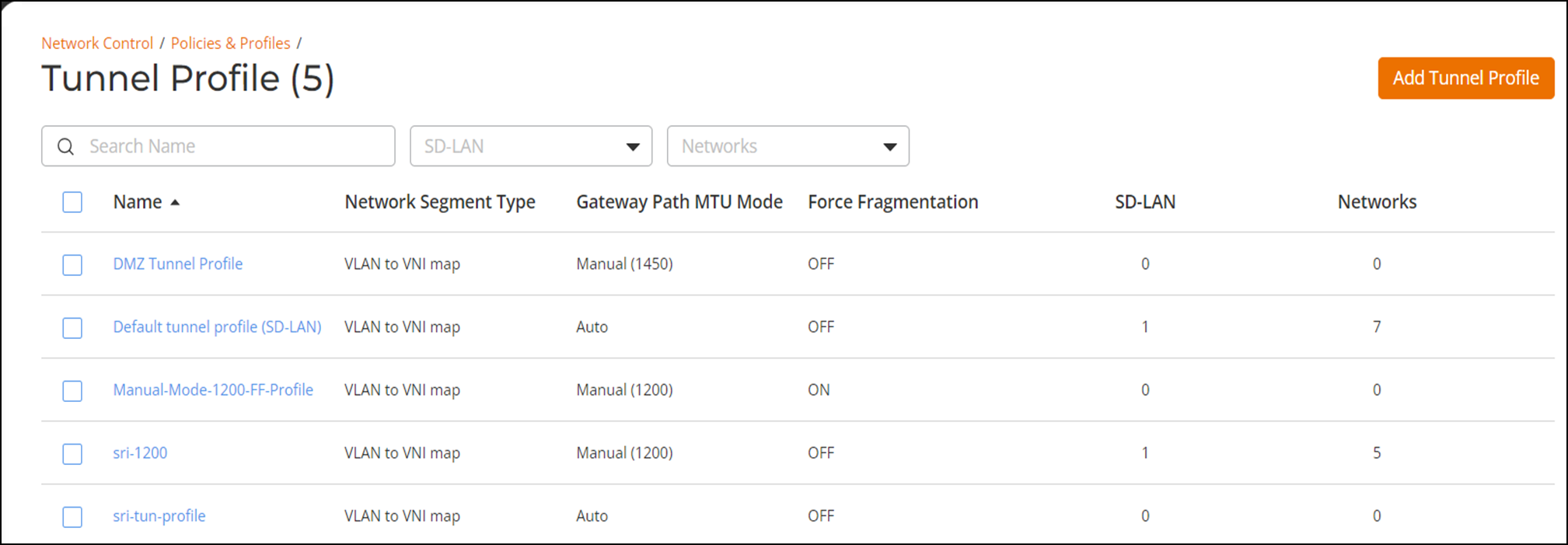
tile.The Tunnel Profile page is displayed. The Tunnel profiles are displayed in the table. The Name column displays the Tunnel profile names, Gateway Path MTU Mode displays the status, Force Fragmentation displays the status, SD-LAN displays the total number of SD-LAN services configured to use this tunnel profile, and Networks displays the total number of network instances that use the Tunnel profile.
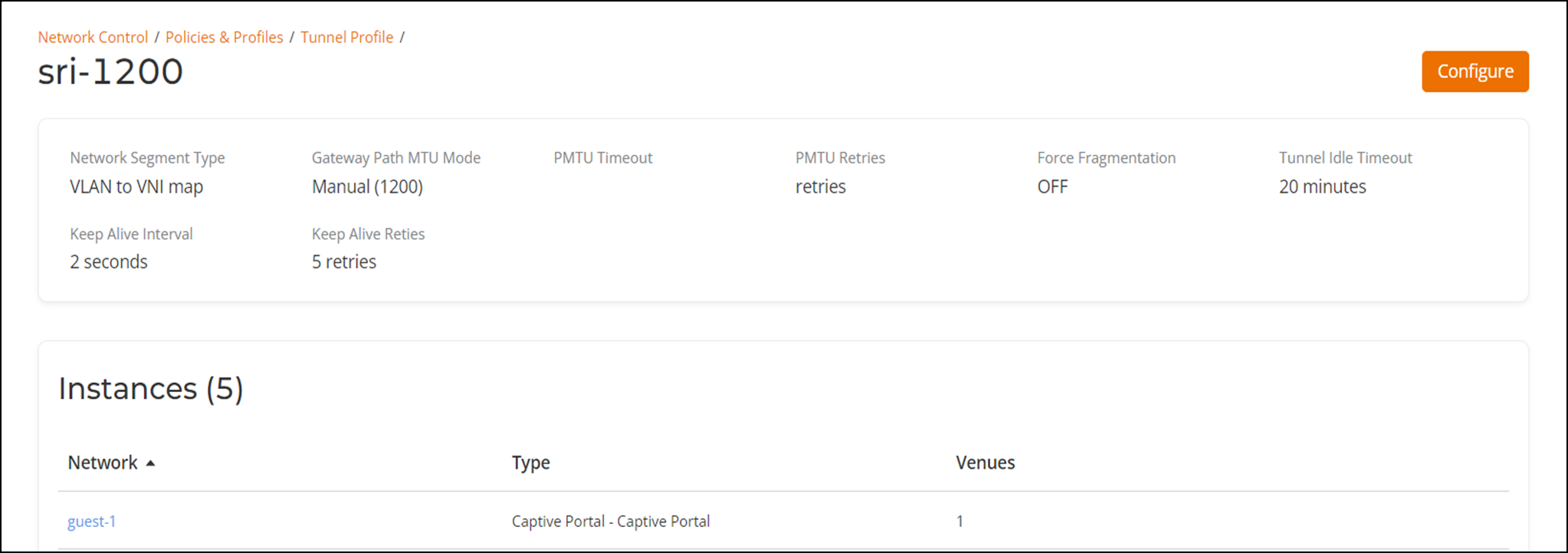
- In the Name column, click on a specific tunnel profile name.