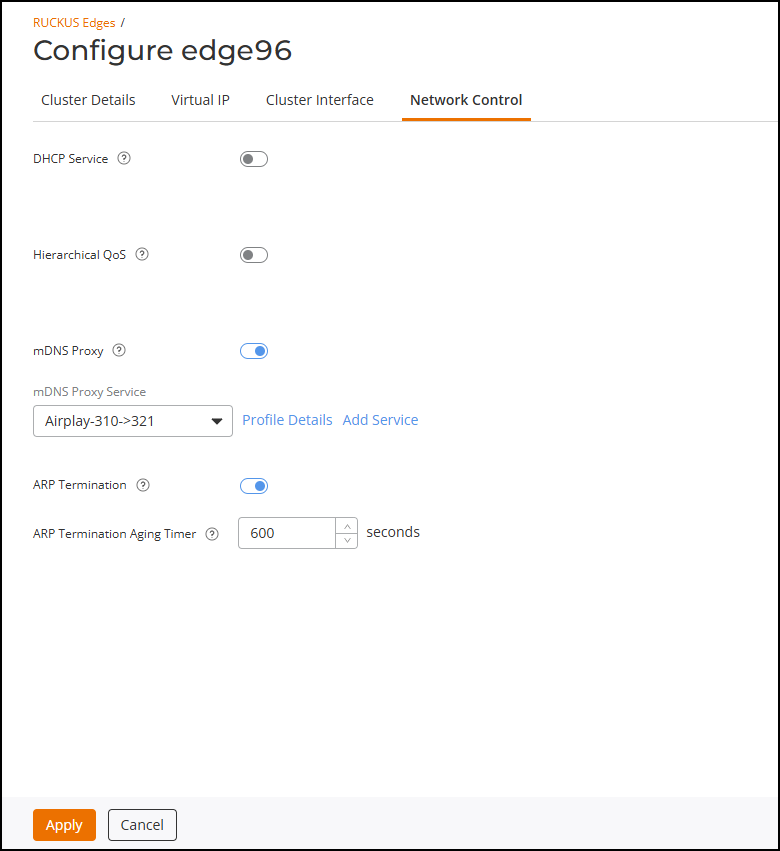
Configuring an mDNS Proxy Service for a Cluster from a RUCKUS Edge Device
An mDNS proxy service is a network proxy that allows devices on different subnets
to
connect by forwarding requests between network interfaces. You can configure an mDNS
Proxy
service at the RUCKUS Edge cluster level.
- On the navigation bar, click
.The RUCKUS Edge page is displayed.
- Click the checkbox for the desired cluster, then click Edit.
- Click the Network Control tab.
- Click the mDNS Proxy toggle to enable the option.
- Select the mDNS Proxy
Service from the drop-down. Alternatively, click Add
Service to create a new service; the Add mDNS
Proxy page is displayed. If adding a new service, refer to Adding an mDNS Proxy Service for more
information regarding service settings and scope.
You can click Profile Details to view the profile summary. The mDNS Proxy Profile Service sidebar displays the profile summary.
Click the icon next to mDNS Proxy
Service to view the feature synopsis and the minimum required
firmware version. Click See the compatibility
requirements to view the minimum required firmware version and
the supported models.
- Click Apply to save and apply the configurations to the cluster.