Getting the APC URL and APC Port from the VUSION Manager Cloud Platform
The Transmitter Security URL, which includes both the endpoint URL (APC URL) and the port number (APC Port), is required when configuring the SESimagotag plugin in the RUCKUS IoT Controller.
Perform the following steps to obtain the Transmitter Security URL.
- Open the VUSION Cloud Manager in a web browser.
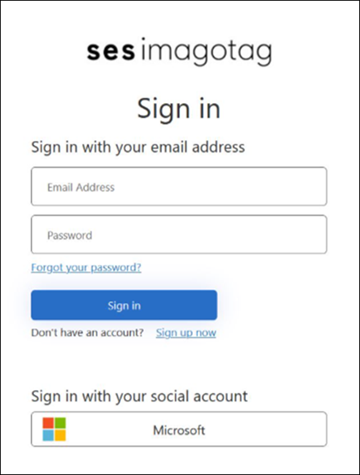
- On the login screen, select an account type, either Microsoft Business or Personal Account, and follow the on-screen prompts.
- On the SESimagotag Sign In page, enter your email address and password.
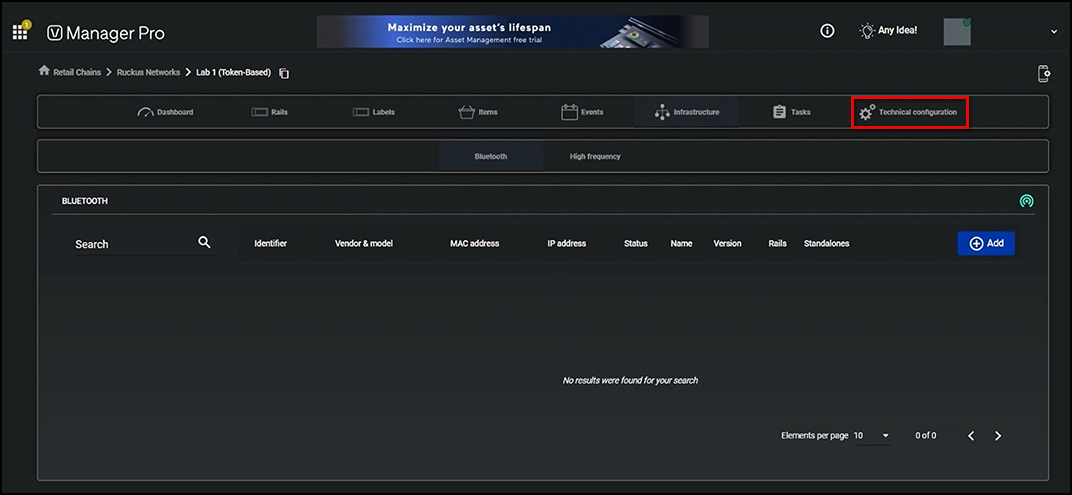
- Click Sign in.The Manager Pro window is displayed.
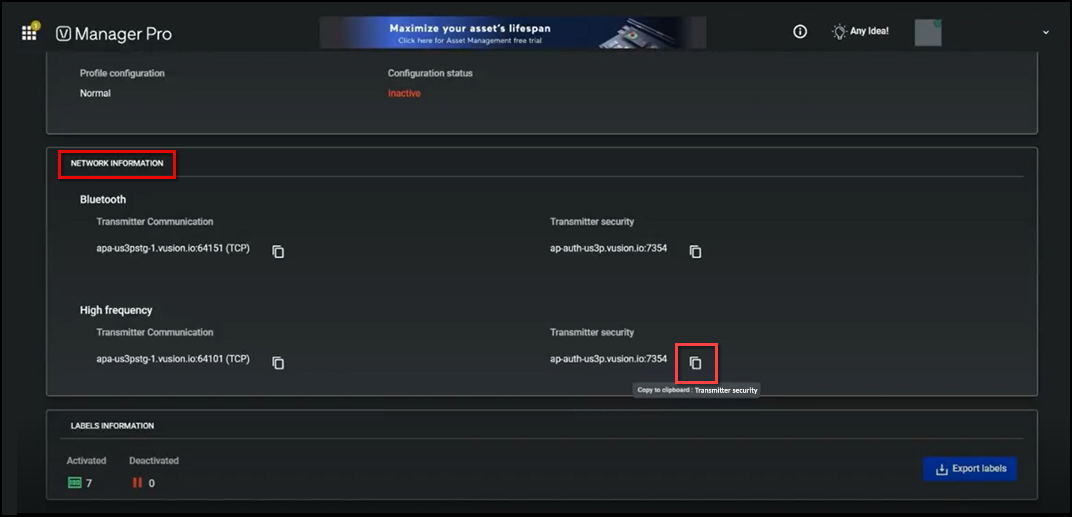
- On the Manager Pro menu bar, click Technical configuration and scroll down to the Network Information section.
- In the High Frequency sub-section, locate the Transmitter security field.
- Click the
 icon next to the url.This copies the entire string to the clipboard.
 - Use the APC URL and APC Port values when activating or editing the SESimagotag plugin in the RUCKUS IoT Controller. For complete plugin activation instructions, in the topic Activating and Editing the SESimagotag Plugin for the RUCKUS IoT Controller.