Activating and Editing the Assa Abloy Plugin
Activate the plugin to manage Assa
Abloy door locks seamlessly. The RUCKUS IoT Controller securely routes all lock
data to the
Visionline endpoint.
To establish a connection to a partner infrastructure, the administrator must perform the following steps.
- From the main menu, select .
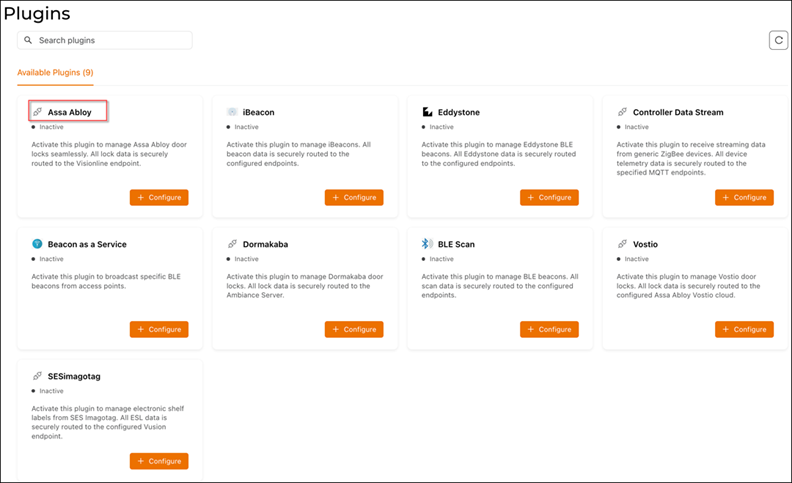
- Click Plugins.The Plugins page is displayed.
- Click the Available Plugins tab.
- In the Assa Abloy tile,
click +
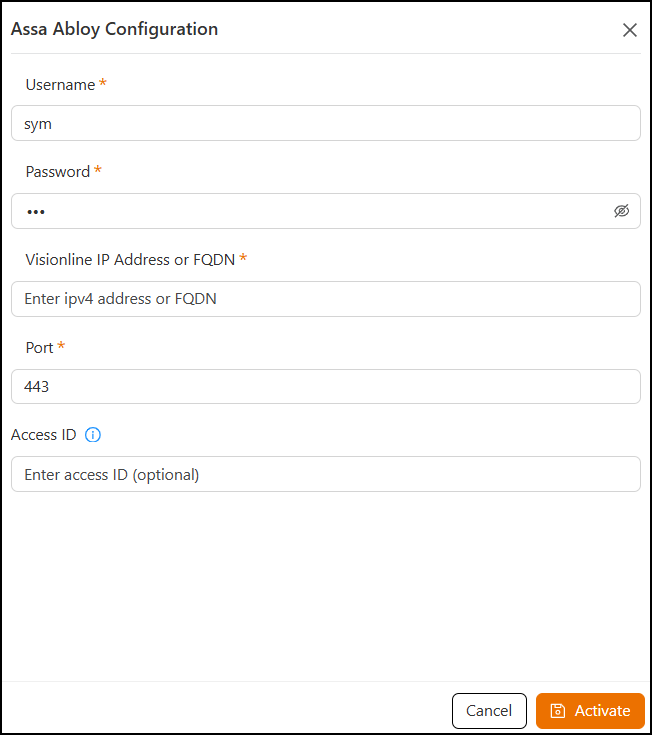
Configure to activate the plugin.The Assa Abloy Configuration sidebar is displayed.
- Configure the following parameters.
- In the Username field, enter the name of the user connecting to the Visionline Server.
- In the Password field, enter the password of the user connecting to the Visionline Server.
- In the Visionline IP address or FQDN field, enter the IPv4 address or a Fully Qualified Domain Name (FQDN).
- In the Port field, enter the port number.Note: By default, the port number is 443.
- (Optional) In the Access ID field, enter the specific Access ID.
- Click Activate to save the changes.
- (Optional) Click Configure to edit the existing configuration.
- (Optional) Click Delete to delete the plugin.
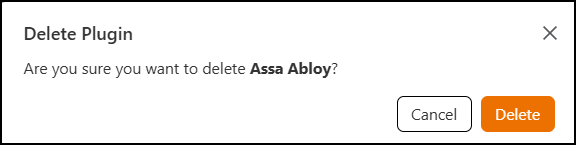=GUID-B301CD06-874F-41BB-A31E-F2417E41B480=2=en-US=Low.png "Deleting the Assa Abloy Plugin")