Viewing Routed Interfaces
From the configured venue, you can view the routed interface configuration of
switch.
- On the navigation bar, click
Venues.The Venues page is displayed.
- Select the Venue Name and click Edit. Alternatively, click .
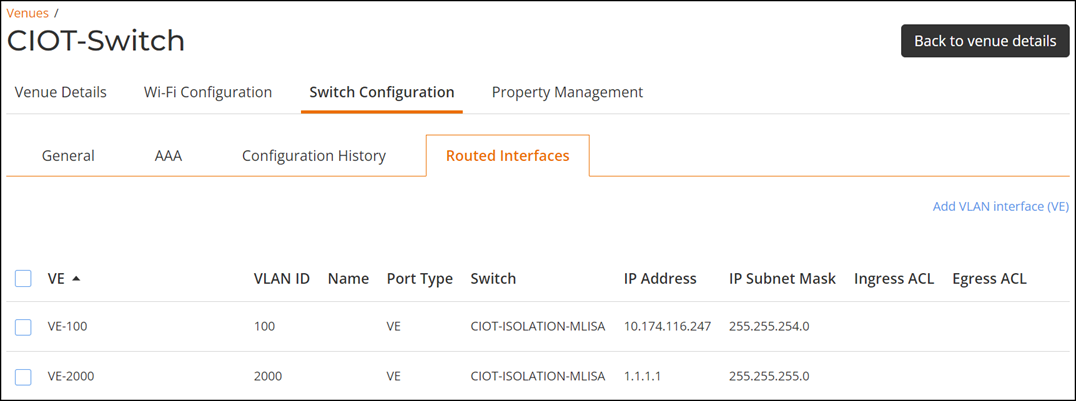
- Select the .The Routed Interfaces tab is displayed.The Routed Interfaces tab displays the following information.
- VE: Diplays the VLAN interface name.
- VLAN ID: Displays the VLAN ID name.
- Name: Diplays the name of the VLAN interface.
- Port Type: Displays the port type.
- Switch: Displays the switch name.
- IP Address: Displays the IP address.
- IP Subnet Mask: Displays the IP subnet mask.
- Ingress ACL: Displays the Ingress ACL.
- Egress ACL: Displays the Egress ACL.