Creating a DP Group
The vSZ-D version in the same DP
group must be the same for consistent AP/DP functioning.
Note: Creating a DP group affinity profile is
supported only for vSZ-E and vSZ-H platforms.
Complete the following steps to create a DP group.
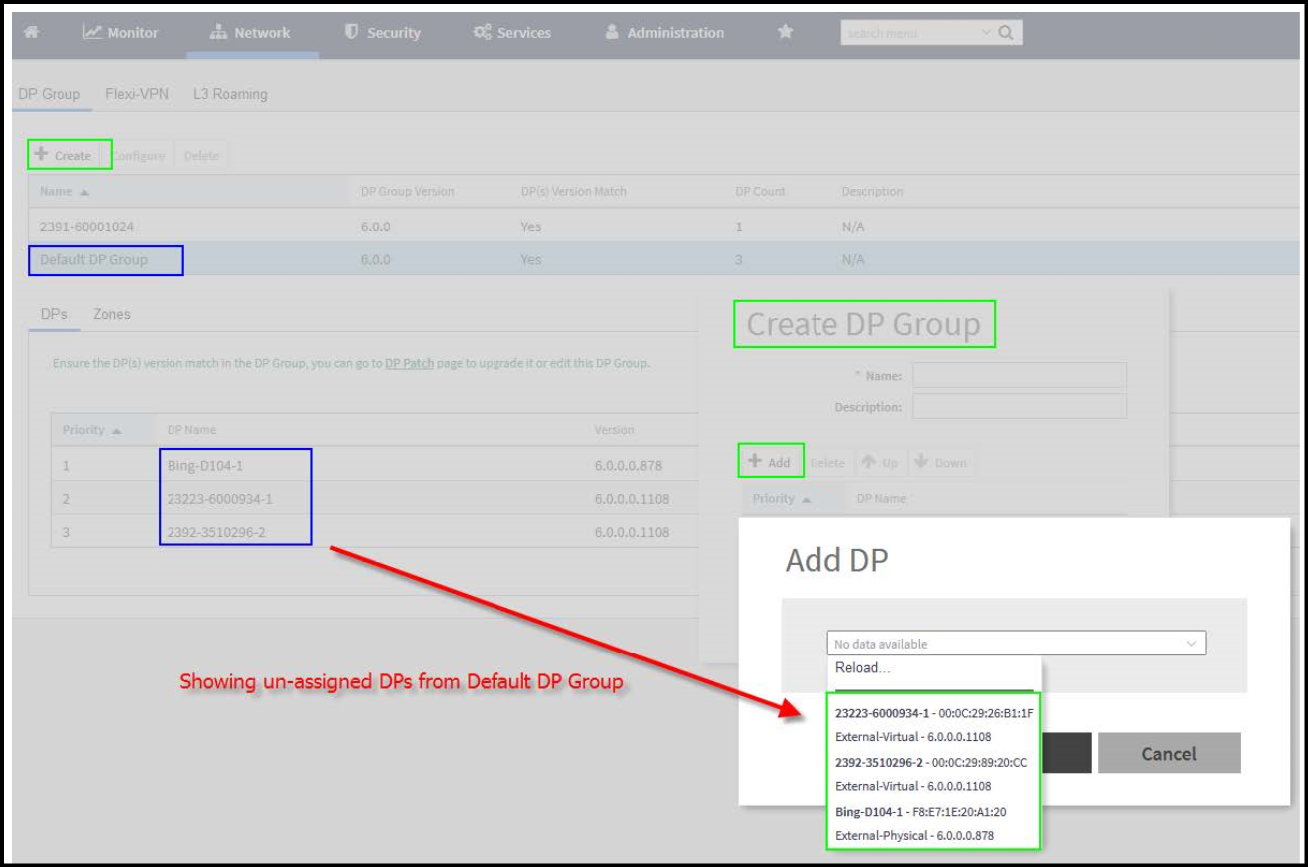
- Select Network > Data and Control Plane > DP group.
- Click Create.
- Enter a Name and Description for the DP group.
- Click Add.
5.1 Update - reused across platforms
- Select Data Plane from the list and
click OK.
Note:.
- While SZ is upgrading from an
older version to a newer version, the system validates whether any DP is
assigned a duplicate. If a duplicate is encountered, the following
warning message is displayed:
There is an over-assigned DP in the DP Zone Affinity profiles. Please go to the DP Zone Affinity page to edit and make sure only one DP profile is assigned at the same time.
Once the over-assigned DPs are removed, SZ can upgrade the system. - After the configuration that
included the over-assigned profiles has been restored, the following
message notifies you to correct the configuration:
The overlapping DP Group has been detected. There is the over-assigned DP in DP Group. Please go to DP Group page to edit and make sure the DP only one DP Group assigned at the same time.
- While SZ is upgrading from an
older version to a newer version, the system validates whether any DP is
assigned a duplicate. If a duplicate is encountered, the following
warning message is displayed:
- Click OK.
Note: You can edit or delete a DP group. To
do so, select the DP Group from the list and click Configure or Delete respectively.
Verifying DP Version Match
From the list, the DP(s) Version Match column indicates Yes if all the DPs have the same version in the DP Group and No if the DPs have different versions in the DP group. You can click the DP(s) tab to verify the version of the DP.
DP NAT License Assignment
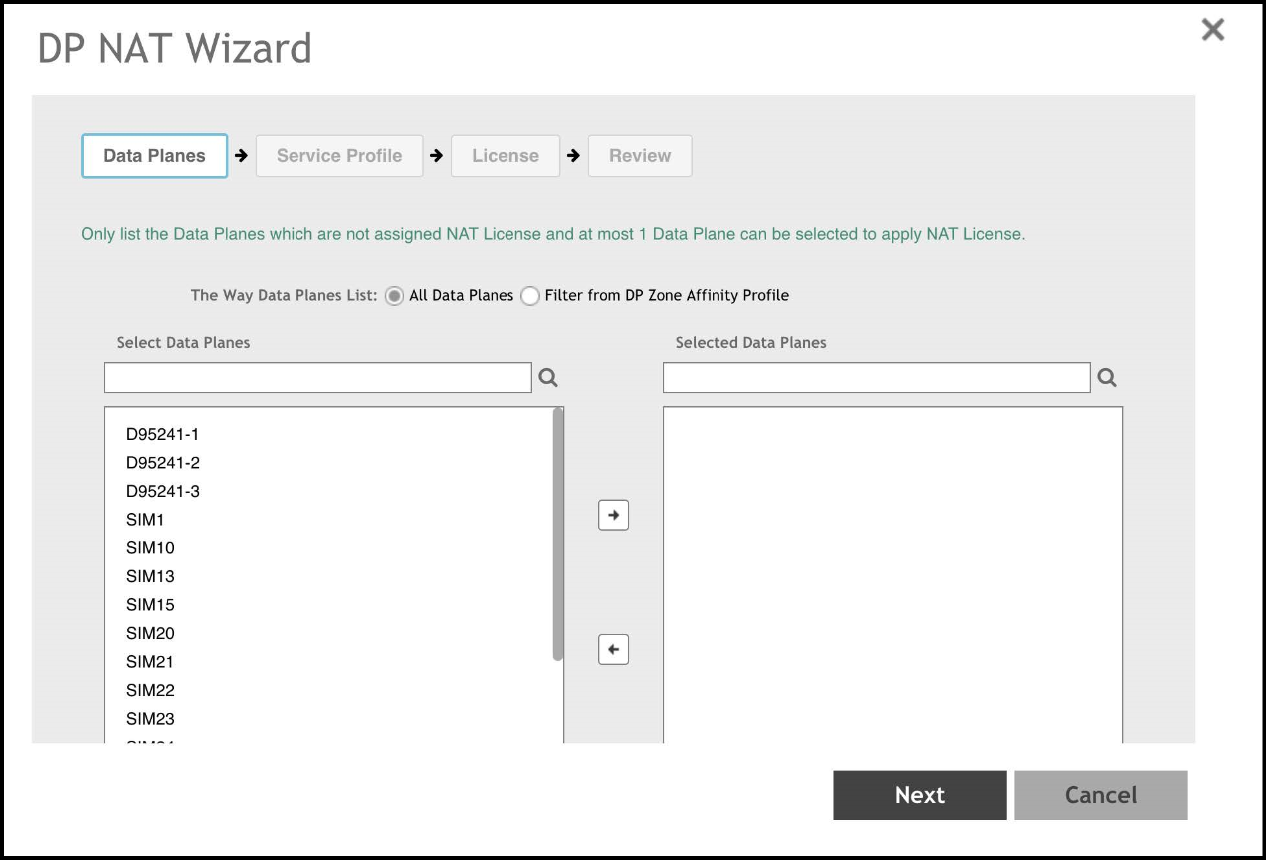
- Select the data plane.
- Option 1 let the user select filter to apply.
- The "Select Data Planes" is listing DP(s) filtering by option 1.
- In "Select Data Planes" area, only list DP(s) which has not assigned NAT license.
- Select the NAT service profile.
- In NAT service profile option, only list the profile which has not assigned to DP.
- The existed service profile on DP will be replaced after the wizard completed.
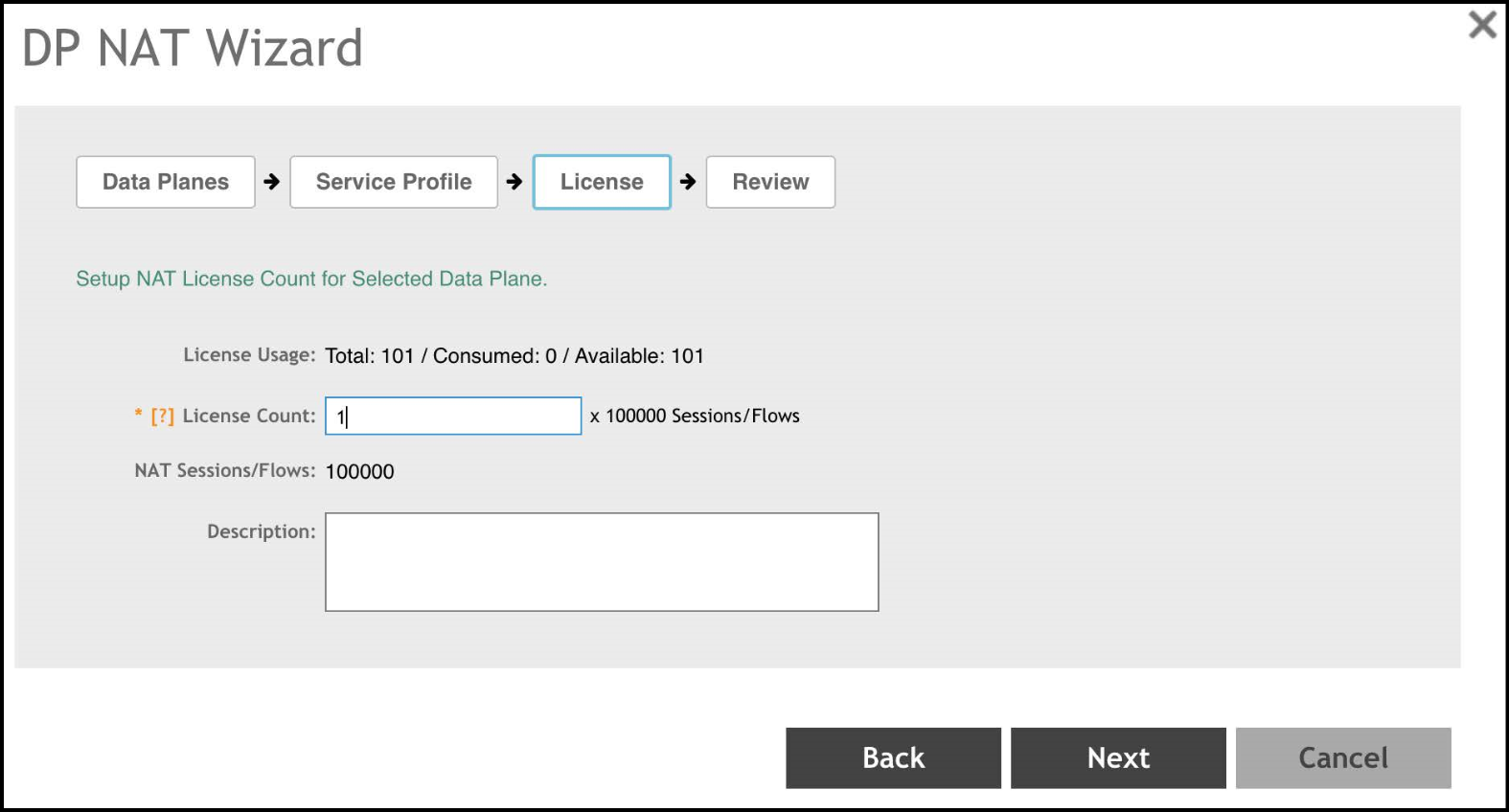
Allocate the sufficient license for DP NAT.
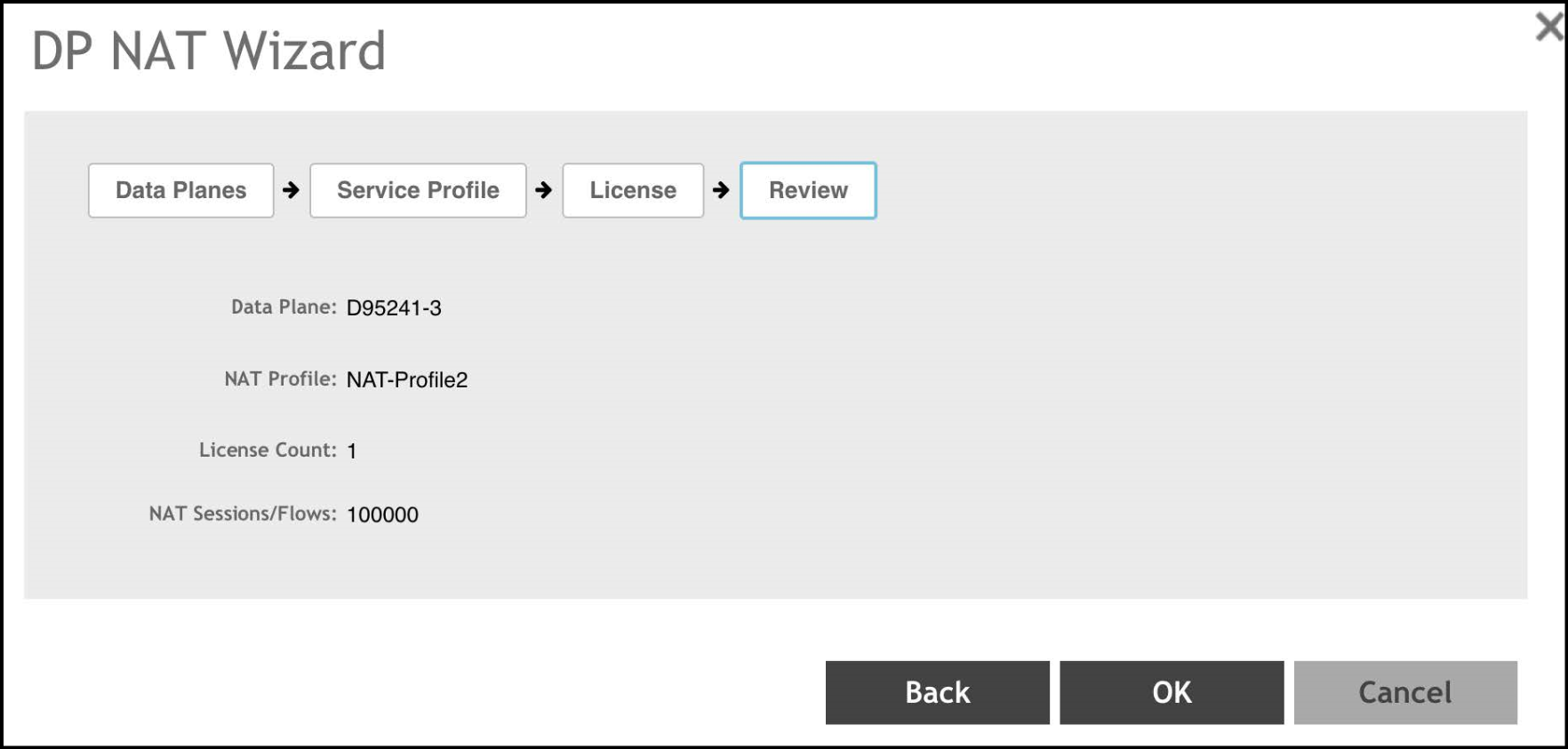
Review all DP NAT configuration before applying.