VSRP Priority Calculation
In VSRP, each device's priority for a given VRID and VLAN is dynamically adjusted based on the number of active ports. The adjusted priority is calculated using the formula:
Adjusted Priority = Configured Priority × (Active Ports / Total Ports)
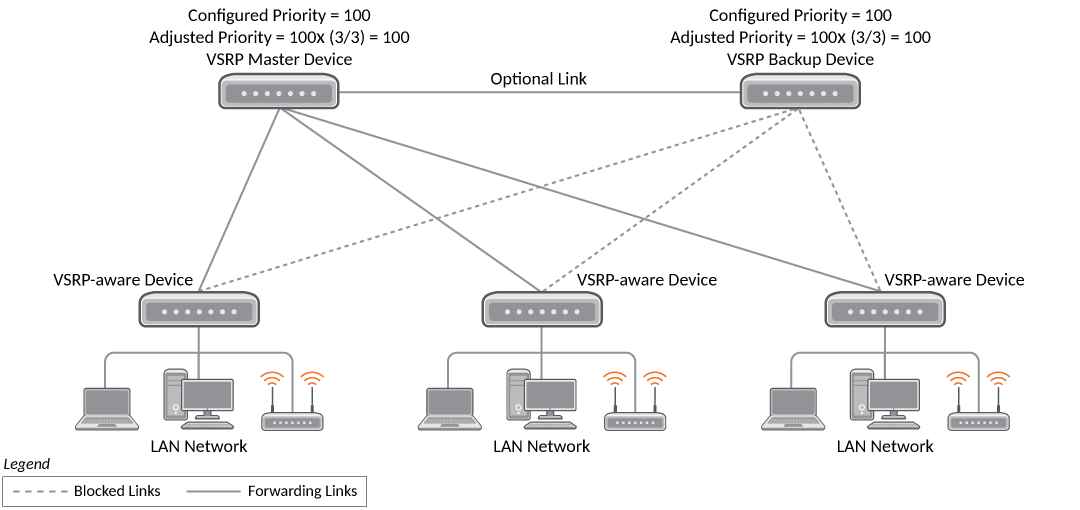
For example, if a device has a configured priority of 100 and three total ports in the VRID VLAN, its adjusted priority is 100 when all ports are active (as shown in VSRP Priority). If one port goes down, reducing the number of active ports to two, the adjusted priority becomes approximately 67 (based on the formula: 100 × 2/3) (as shown in VSRP Priority Recalculation). This mechanism ensures that devices with more operational ports are favored during Master election, enhancing redundancy and failover responsiveness.
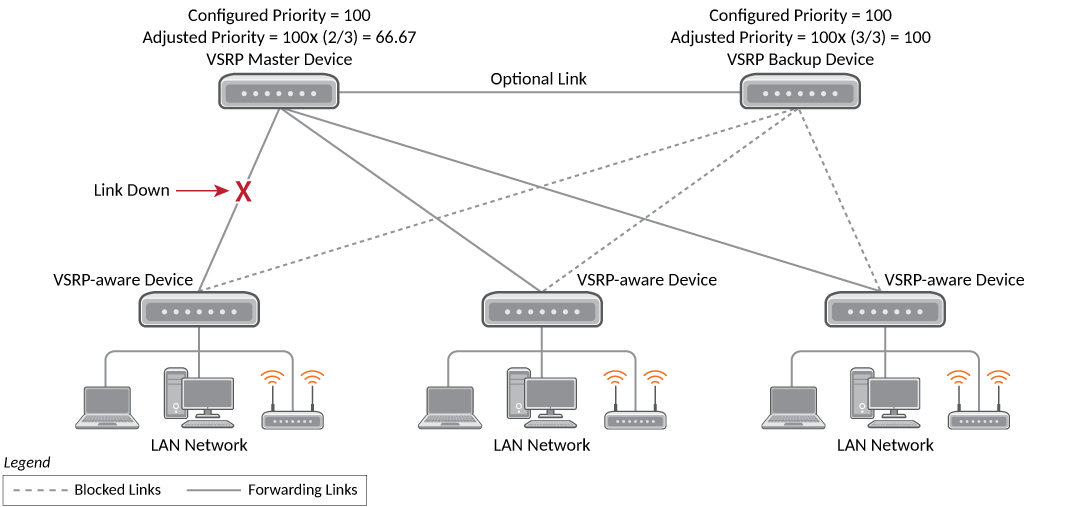
You can reduce the sensitivity of a VSRP device to failover by increasing its configured VSRP priority. For example, you can increase the configured priority of the VSRP device on the left in VSRP Priority Recalculation to 150. In this case, failure of a single link does not cause failover. The link failure caused the priority to be reduced to 100, which is still equal to the priority of the other device.
Track Ports
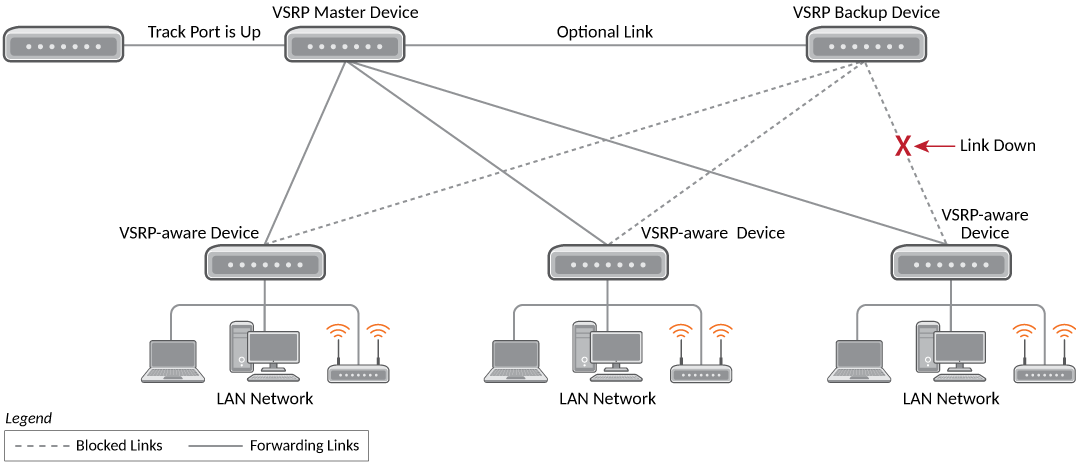
Optionally, you can configure track ports to be included during VSRP priority calculation. In VSRP, a track port is a port that is not a member of the VRID VLAN, but the state of which is nonetheless considered when the priority is calculated. Typically, a track port represents the exit side of traffic received on the VRID ports. By default, no track ports are configured.
When you configure a track port, you assign a priority value to the port. If the port goes down, VSRP subtracts the track port priority value from the configured VSRP priority. For example, if you configure a track port with priority 20 and the configured VSRP priority is 100, the software subtracts 20 from 100 if the track port goes down, resulting in a VSRP priority of 80. The new priority value is used when calculating the Master device election. The following figure shows an example.