Monitoring the Cluster

Individual node details or pair of nodes that form the cluster for High Availability that are configured while setting up a RUCKUS Network Director instance can be viewed. RUCKUS Network Director offers a comprehensive High Availability solution (DB replication) with near real-time database sync-up between RND nodes. High Availability clusters are used for failover, load balancing, and backup purposes.
For more information about setting up the cluster, refer to "Setting Up RUCKUS Network Director Cluster" in the RUCKUS Network Director Installation Guide.

  1. On the menu, go to Admin > RND Cluster to view the configured nodes.
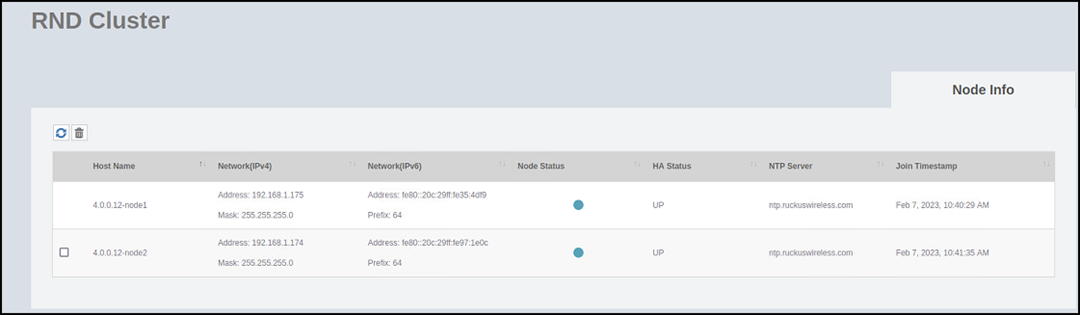
    The RND Cluster window is displayed.

    The cluster setup details such as host name, Network (IPv4 and IPv6), Node Status, HA Status, NTP server, and joining timestamp details are displayed in the Node Info tab.

    RND Cluster Window