Deleting a Cluster Node
RND allows you to set up a two-node
cluster. If you want to go with a single node, RND provides the option to delete
the
secondary node.
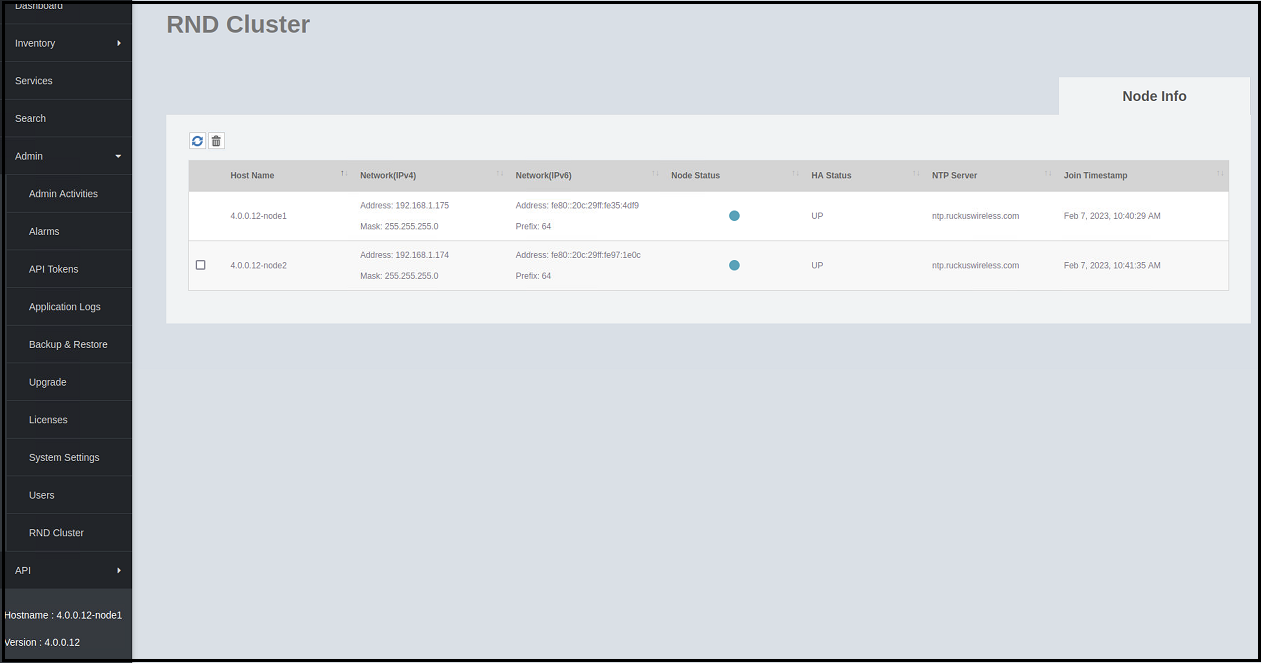
Complete the following steps to delete the secondary node.
- On the menu, go to .
- Select the secondary node and
click the
 icon.
icon.
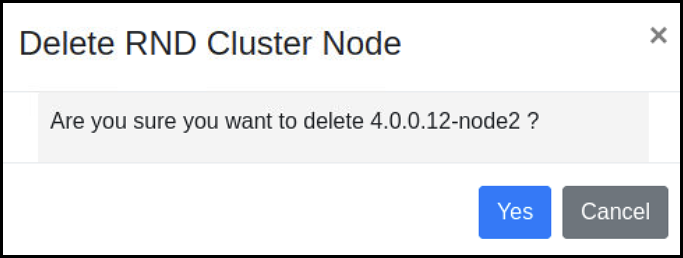
- Click Yes to delete the selected cluster node.Note: If the secondary node is down, it cannot be deleted from the UI. In this scenario, you must recover the unreachable node using the original IP and then remove the node using the delete option from the UI.
If the unreachable secondary node is not recoverable, use the following CLI commands:
################################
#       Welcome to RND         #
################################

> tools reset-to-single-node-on-local
Reset to single node on local node..
Update DB config and restart service
Update RND Cluster data
Reset to single node on local node.. done
>