Configuring Geo Redundancy
To set up Geo Redundancy, you must
configure one RND cluster to synchronize with another, ensuring redundancy and data
consistency.
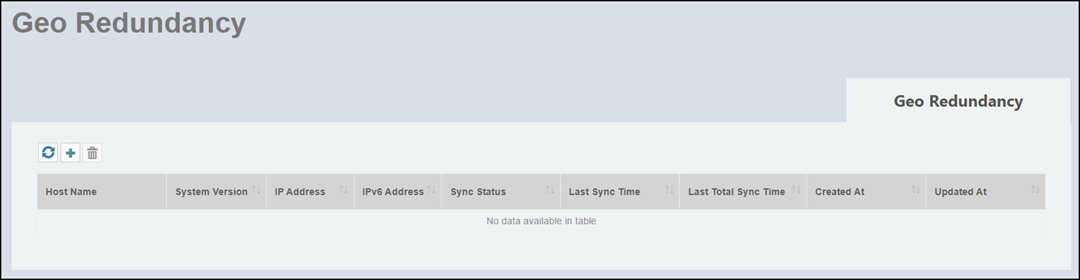
- On the menu, select Admin > Geo Redundancy.
- Click the
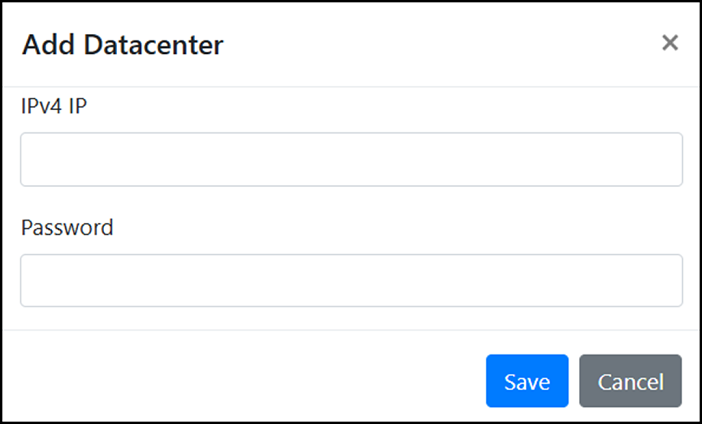
 icon. The Add Datacenter window is displayed.
- Complete the following fields:
- Click Save to add the
geo-redundant RND cluster.
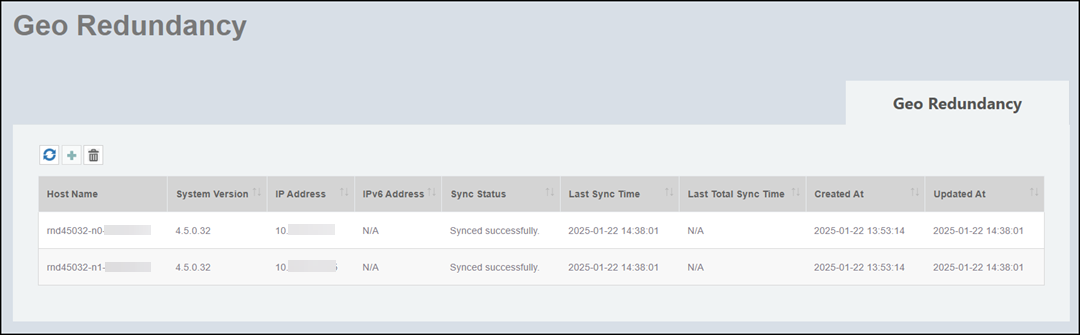
The cluster details of the newly added data center are displayed in the Geo Redundancy table.
The Geo Redundancy table also allows you to monitor the status of the synchronization and includes the following columns:
- Host Name: Displays the host names of the nodes in the cluster.
- System Version: Displays the RND version running on each node.
- IP Address: Displays the IPv4 address of the nodes.
- IPv6 Address: Displays the IPv6 address of the nodes.
- Sync Status: Displays the current synchronization status.
- Last Sync Time: Displays the timestamp of the most recent incremental synchronization.
- Last Total Sync Time: Displays the time at which the last complete synchronization was completed.
- Created At: Displays the time at which the datacenter was created.
- Updated At: Displays the time at which the datacenter was updated.
Once geo redundancy is configured, you can Refresh, Edit, or Delete the configured datacenters. from the Geo Redundancy window.