Generating a WLAN Report
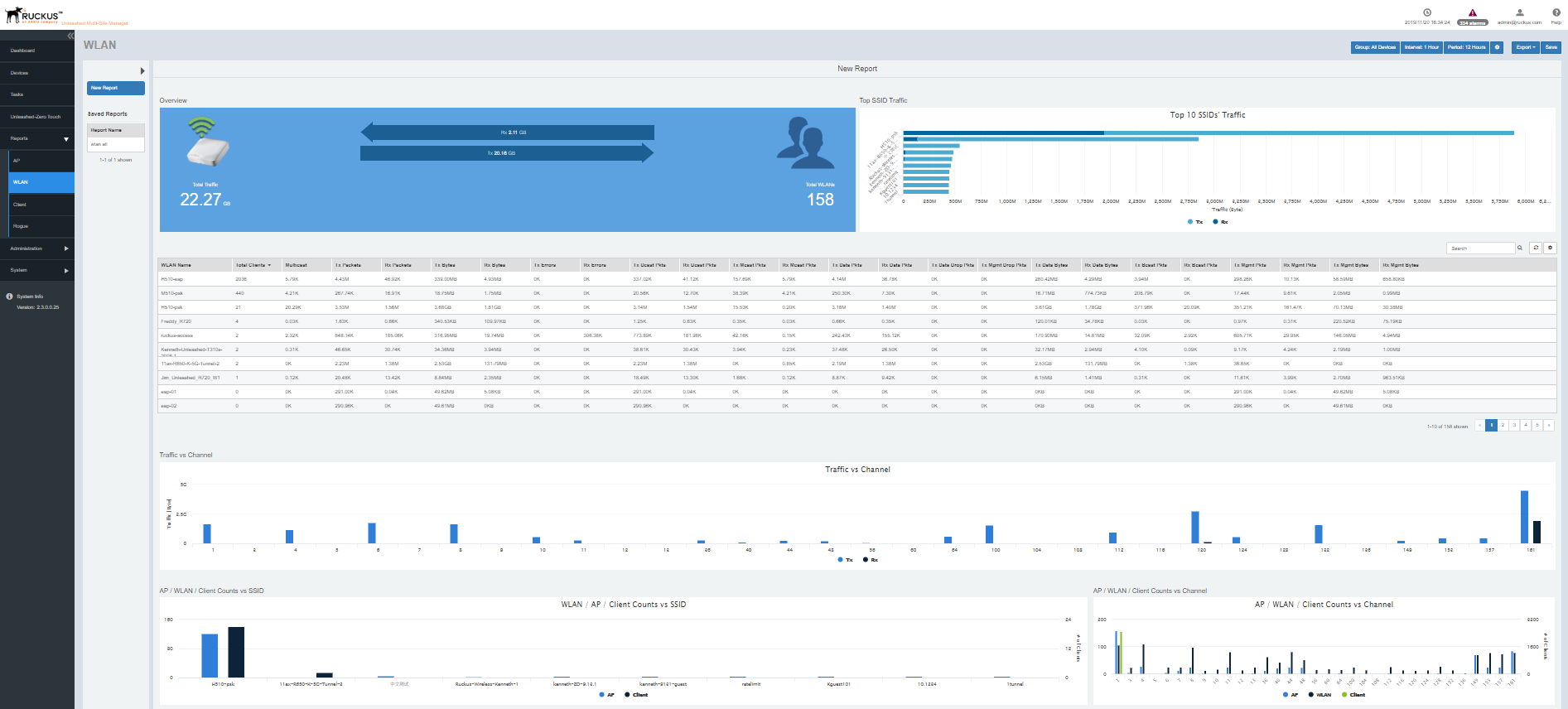
An WLAN report displays the number of ZoneDirector devices and APs on which a particular
SSID is configured. You can also view graphs of associated clients, received traffic,
and transmitted traffic per SSID.
- After you to login to the Web interface, select Reports from the menu in the left.
- Click
WLAN in the sub-menu.
The WLAN reports page is displayed with a Set Report Option (
 ) area, Table area and a Graph area.
The Reports Option area displays the Group, Interval and Period.
The Table area displays additional information about the WLANs such as their name, IP address, total clients, multicast information, Tx/Rx packet information and so on.
You can also click on Export and select CSV or PDF to have the reports saved as a CSV or PDF file respectively.
- Configure the report settings as described in
Configuring Report Options.
The table area displays information about the WLANs such as the name, TX/Rx packets, clients, Tx/Rx unicast packets, Tx/Rx errors, Tx/Rx data packets and so on. The Graph area displays trends such as top 10 SSID by traffic, traffic analysis of WLAN based on their client count, channel, 15 min intervals and so on.
- Generate the report as described in Saving Reports and Generating Reports.