Setting the User Interface Language
RUCKUS AI allows you to customize
the language used in the user interface to suit your language preference or regional
needs.
By utilizing the Preferred Language setting, you can personalize your
experience by selecting a preferred language for interacting with the RUCKUS AI user interface. This
enhances the user experience by ensuring that all textual and graphical elements,
prompts,
notifications, and other web UI elements are presented in the preferred language,
thereby
facilitating better comprehension and navigation.
RUCKUS AI supports six languages:
English is set as the default user interface language.
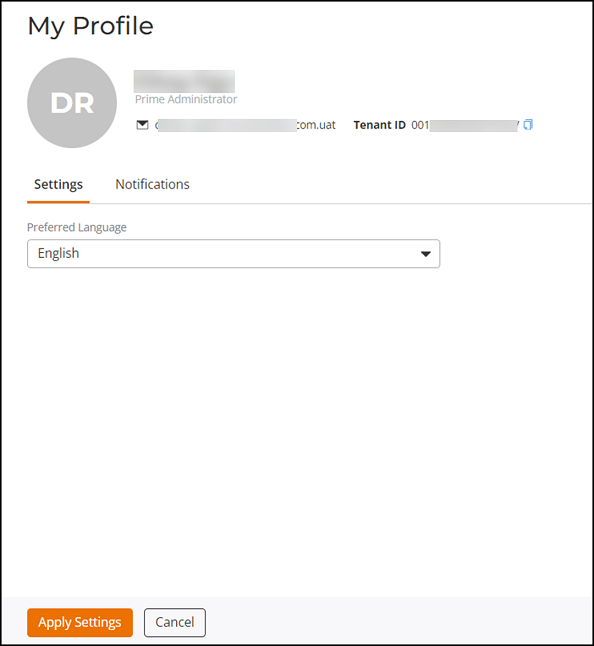
Complete the following steps to customize the user interface language:
- Click the user icon in the upper-right corner of the UI, then select
. The My Profile page is displayed.Note: The user icon shows the initials of the user's first and last name.
- Click the Settings tab and select a language from the drop-down list in the Preferred Language field.
- Click Apply Settings to set the selected language as the default user interface language for the account.