Managing Application Tokens
For existing application tokens, you can
copy the client ID or client secret, generate a new client secret, and delete the
application tokens that are no longer necessary.
- On the menu, select .
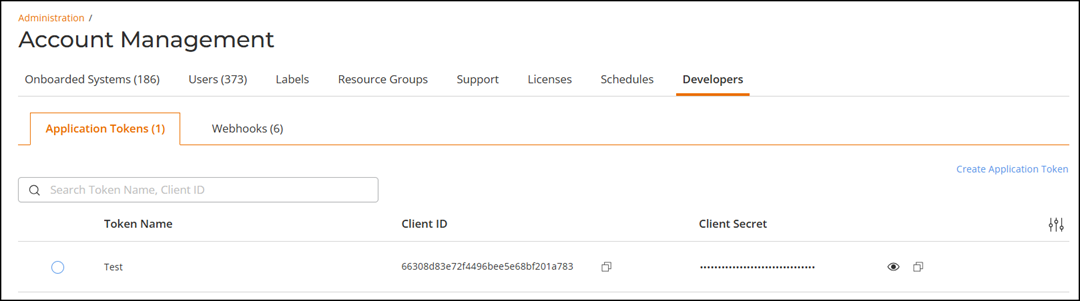
- Click the Application Tokens sub-tab.
- Click the radio button next to
the application token name that you need to manage. The options bar appears.
- Select the appropriate option
for the selected application token (based on one of the following task goals):
The Client ID and Client Secret are generated automatically and is displayed on the Application Tokens page .
- Copy the Client ID or Client Secret.
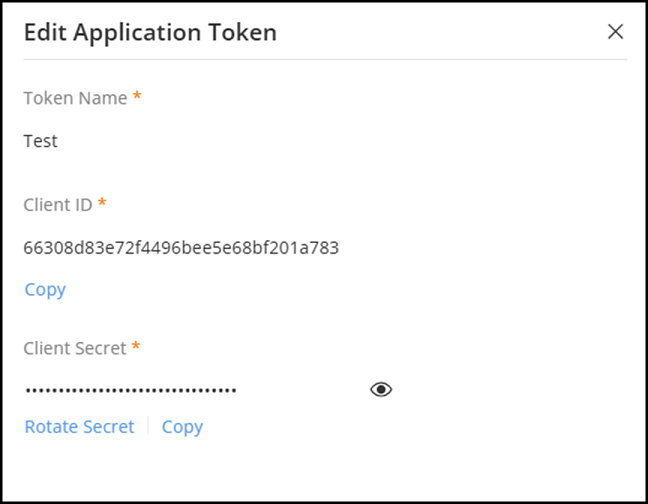
- Click Edit. The Edit Application Token sidebar appears.
- Click the appropriate Copy option (available separately under the Client ID and the Client Secret fields) to copy the string into your local device clipboard, allowing you to paste the string into a third-party application.
- Click X to close the sidebar.
- Generate a new Client Secret.
- Delete the application token.
- Copy the Client ID or Client Secret.
API Rate Limiting
For more information, refer to https://docs.ruckus.cloud/api/ai.